You've ticked every box. Your listing photos look brilliant, your pricing is competitive, and your reviews are glowing. Yet somehow, when you search for properties in your area, your listing is buried on page three — or worse, it doesn't appear at all. If this sounds familiar, you're not alone. Understanding Airbnb search ranking in the UK is the difference between a calendar packed with bookings and weeks of empty availability.
The Airbnb search algorithm doesn't care about effort — it cares about signals. And right now, your listing might be sending all the wrong ones.
What Is Airbnb Search Ranking and Why Does It Matter?
Airbnb search ranking determines where your listing appears when guests search for properties in your area. The higher you rank, the more visibility you get — and visibility directly translates to bookings. Over 90% of guests book from the first page of results, so if your listing isn't ranking in the top spots, you're invisible to the vast majority of potential guests.
In competitive UK markets like London, Manchester, Edinburgh, or Brighton, the difference between position five and position fifteen can mean the difference between 80% occupancy and 30%. It's not just about being listed on Airbnb — it's about being seen.
How Does the Airbnb Search Algorithm Work in the UK?
The Airbnb search algorithm in the UK ranks listings based on dozens of factors, prioritising those most likely to convert searchers into bookers. Airbnb's goal is simple: show the listings that will lead to completed bookings. The platform makes money when guests book, so it rewards listings that drive conversions.
Think of it as a popularity contest weighted by performance. The algorithm tracks every interaction with your listing — clicks, saves, booking requests, cancellations, response times, reviews — and uses that data to predict how likely your listing is to convert the next searcher.
Here are the core factors that influence Airbnb search ranking in the UK:
1. Click-Through Rate (CTR)
When your listing appears in search results, does anyone click on it? If your hero photo and title don't grab attention, guests will scroll past — and Airbnb will interpret that as a signal that your listing isn't appealing. Low CTR pushes you down the rankings.
Your hero photo is everything. A dark, cluttered, or poorly cropped thumbnail will get ignored. Bright, spacious, welcoming shots with clear focal points perform best. Your title matters too — if it's generic ('Cosy Flat in London'), you're competing with thousands of identical listings. Specificity wins: 'Bright 2-Bed Near Kings Cross – Ideal for Families'.
2. Booking Conversion Rate
Once someone clicks through to your listing, do they book? Airbnb tracks what percentage of page views turn into booking requests or instant bookings. If guests are viewing your listing but not booking, the algorithm assumes something is putting them off — unclear pricing, missing amenities, weak reviews, or confusing house rules.
If you want to improve Airbnb visibility in the UK, focus on removing friction. Make your pricing transparent (no hidden fees that inflate the total at checkout), ensure your photos match your description, and keep your calendar updated.
3. Response Rate and Response Time
Airbnb rewards hosts who reply to enquiries within an hour and maintain a response rate above 90%. If you're slow to respond or frequently ignore messages, you'll be deprioritised. This is non-negotiable.
Enable notifications, use saved replies for common questions, and don't let messages sit unanswered overnight. Even a quick 'Thanks for your message, I'll get back to you in a few hours' keeps your response rate intact.
4. Reviews, Ratings, and Guest Satisfaction
Your overall star rating matters, but so do specific category ratings — cleanliness, accuracy, communication, check-in, location, and value. A 4.9-star listing with perfect cleanliness and communication scores will often outrank a 5.0-star listing with patchy feedback.
Negative reviews mentioning uncleanliness, misleading photos, or unresponsive hosts are ranking killers. One bad review won't sink you, but a pattern will. Guests also care about recent reviews — a listing with ten 5-star reviews from 2022 and silence since will rank lower than one with consistent recent feedback.
5. Cancellations (Especially Host-Initiated Cancellations)
Cancel a booking as a host, and Airbnb will penalise you heavily. Your listing may be suspended from search results for days or weeks, and your ranking will suffer long-term. Guest cancellations don't hurt you (unless they trigger reviews citing inaccurate listings or poor communication).
6. Pricing Competitiveness
If your nightly rate is significantly higher than comparable listings in your area, Airbnb may rank you lower unless your listing clearly justifies the premium (better photos, more amenities, higher ratings). Overpricing doesn't just hurt conversions — it hurts visibility.
Underpricing won't boost your ranking either. Airbnb doesn't favour cheap listings — it favours listings that convert. If your price is suspiciously low, guests may assume something is wrong.
7. Listing Completeness and Freshness
Airbnb rewards listings with complete profiles — accurate descriptions, up-to-date photos, comprehensive amenity lists, detailed house rules, and active calendars. If you haven't updated your listing in months, the algorithm assumes it's stale.
Refreshing your photos, tweaking your title, or updating your description signals to Airbnb that you're an active, engaged host. Even small changes can trigger a temporary ranking boost.
The Real Reason Your Airbnb Isn't Showing Up in Search
Most hosts assume ranking is about quality. 'My place is lovely — why aren't I ranking?' But Airbnb doesn't rank based on how nice your property is. It ranks based on how likely guests are to book it.
Here are the most common mistakes that quietly tank your Airbnb search ranking in the UK:
Your Hero Photo Is Weak
If your hero image is dark, cluttered, poorly composed, or shows an empty hallway instead of your best room, you're losing clicks. Airbnb's algorithm notices when guests scroll past your listing without engaging.
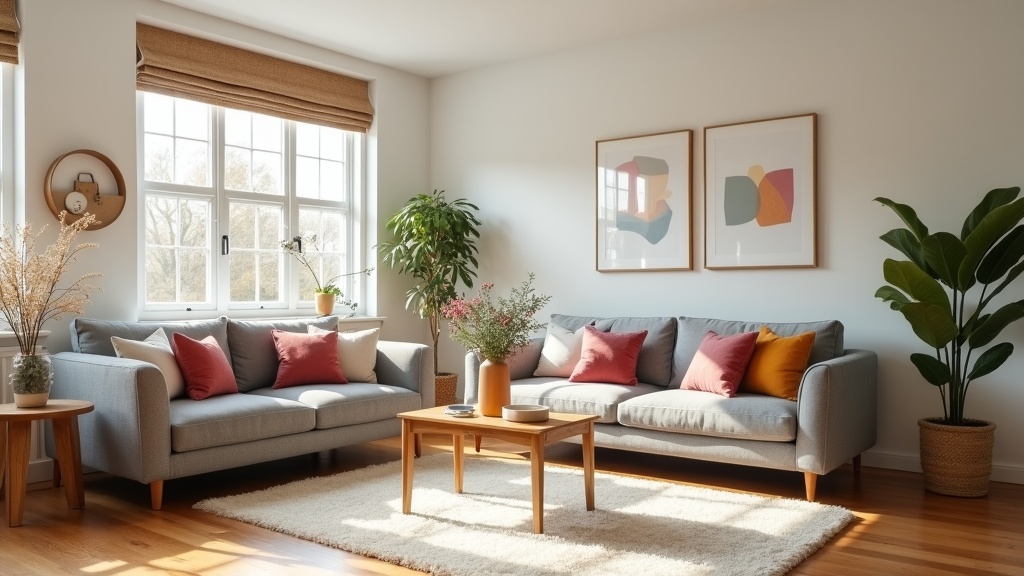
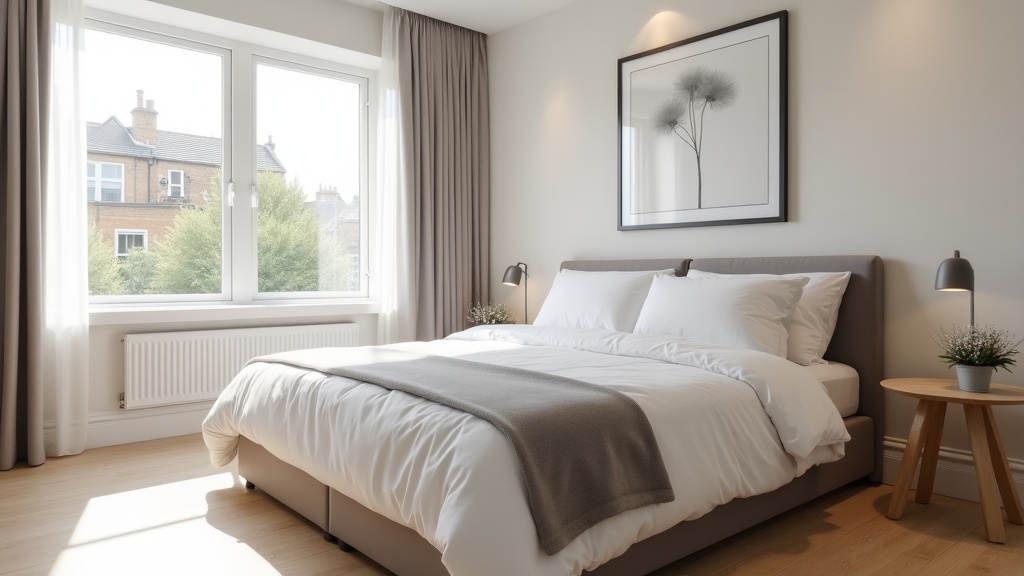
Fix it: Your hero photo should be bright, spacious, and instantly recognisable as the 'best room in the house'. Living rooms, sunlit bedrooms with crisp white linens, and outdoor spaces with seating perform best. Avoid bathrooms, kitchens, or exterior shots as your hero unless they're genuinely stunning.
Your Title Is Generic
'Lovely Flat in London' tells guests nothing. It doesn't differentiate you, it doesn't highlight your unique selling points, and it doesn't target specific guest needs.
Fix it: Include your neighbourhood, property type, standout feature, and ideal guest in 50 characters or fewer. 'Bright King's Cross 2-Bed – Parking & Garden' is infinitely more compelling. For a detailed breakdown of how to craft a title that converts, read our guide on Airbnb SEO: How to Rank First Page in Your Local Market.
You're Missing Key Amenities
If your listing doesn't have Wi-Fi, heating, or a coffee maker ticked in your amenities, you won't appear in filtered searches. Guests searching for 'pet-friendly flats in Edinburgh with parking' will never see your listing if you haven't selected those amenities — even if you actually offer them.
Fix it: Audit your amenities list. Tick everything you genuinely offer. If you don't have a coffee maker, a £15 cafetière from Amazon counts as 'Coffee Maker' on Airbnb's checklist and lets you appear in filtered searches.
Your Pricing Is Flat
If you charge the same rate every night of the year, you're invisible during peak demand (when guests filter by price and skip overpriced listings) and losing revenue during off-peak periods (when you could fill gaps with modest discounts).
Fix it: Implement weekend uplift, seasonal pricing, and last-minute discounts. Airbnb rewards listings with dynamic pricing strategies because they convert better. Not sure where to start? LetGrow's free listing score includes competitor pricing analysis and specific rate recommendations for your market.
Your Availability Looks Stale
If your calendar is blocked out months in advance or shows long stretches of unavailability, Airbnb assumes you're not actively hosting and deprioritises your listing. Even if you're fully booked, the algorithm can't tell the difference between 'booked solid' and 'abandoned listing'.
Fix it: Keep your calendar open at least 3-6 months ahead. If you genuinely need to block dates, update them regularly so Airbnb can see you're an active host.
You're Slow to Respond
If you take hours (or days) to reply to enquiries, guests book with faster hosts — and Airbnb notices. A 70% response rate or a 4-hour average response time will hurt your ranking.
Fix it: Turn on push notifications, enable saved replies, and respond within an hour wherever possible. If you're busy, a quick acknowledgment ('Thanks for your message! I'll send full details shortly') keeps your metrics strong.
How to Improve Airbnb Search Ranking in the UK (What Actually Works)
Now that you understand the algorithm, here's how to climb the rankings:
Optimise for Click-Through Rate
Your hero photo and title are your shop window. They need to stop the scroll. Use a bright, wide-angle shot of your most impressive space, and write a title that's specific, benefit-driven, and locally targeted. Test different hero images every few months and track your CTR in Airbnb's performance dashboard.
Boost Your Conversion Rate
Once guests land on your listing, make it easy to book. Remove surprises — no hidden cleaning fees that inflate the price at checkout. Add clear check-in instructions to your description. Show off your amenities in photos (guests need to see the parking space, the garden, the workspace). Make your house rules reasonable.
Need help identifying what's stopping guests from booking? Get a free listing audit from LetGrow — you'll see exactly which elements are costing you conversions.
Build Recent, High-Quality Reviews
Airbnb rewards consistency. One 5-star review from last year won't move the needle. Ten 5-star reviews in the last three months will. Focus on delivering exceptional guest experiences, then politely ask for reviews in your post-stay message.
Pro tip: Respond to every review, even the glowing ones. It shows future guests you're engaged and signals to Airbnb that you're an active host.
Keep Your Listing Fresh
Tweak your title, refresh your photos, update your description, or adjust your pricing every 4-6 weeks. Even small changes signal to Airbnb that you're actively managing your listing. This can trigger a temporary ranking boost as the algorithm re-evaluates your listing's performance.
Use Smart Pricing (But Don't Rely on It Blindly)
Airbnb's Smart Pricing is better than nothing, but it's often too conservative and doesn't account for hyper-local demand spikes (concerts, festivals, football matches, university term dates). Layer in custom pricing rules for weekends, local events, and seasonal demand.
If you're unsure how to price competitively, our guide on How to Improve Your Airbnb Ranking: 7 Signals Airbnb Actually Rewards includes detailed pricing strategies that work in UK markets.
Enable Instant Book (If You Can)
Listings with Instant Book enabled rank higher because they convert faster. Guests can book immediately without waiting for host approval, which reduces friction. If you're nervous about vetting guests, you can still require a government ID and a positive review history.
Target Local Keywords in Your Title and Description
Airbnb search is part art, part SEO. Guests search using location-specific terms — 'near Hyde Park', 'close to Manchester Piccadilly', 'walking distance to Royal Mile'. If those phrases don't appear in your title or description, you won't rank for them.
Example: Instead of 'Beautiful Apartment in Edinburgh', write 'Spacious 1-Bed Near Royal Mile – 5 Min Walk to Castle'. The second version targets specific search terms guests actually use. For more on this, read How to Rank Higher in Airbnb Search Results (2026 Guide).
Common Myths About Airbnb Search Ranking
Myth: Superhosts Always Rank Higher
Not true. Superhost status gives you a small boost, but it won't save a listing with poor photos, slow response times, or low conversion rates. A well-optimised listing without Superhost status will outrank a neglected Superhost listing every time.
Myth: Lowering Your Price Will Boost Your Ranking
Airbnb doesn't favour cheap listings — it favours listings that convert. Underpricing can actually hurt you if it makes guests suspicious ('Why is this so cheap? What's wrong with it?'). Price competitively, not desperately.
Myth: New Listings Get a Ranking Boost
Airbnb used to give new listings a temporary visibility boost, but that's largely gone. You're now competing on equal footing from day one. New hosts need to focus on fast responses, complete profiles, and competitive pricing to gain traction.
How LetGrow Helps You Rank Higher
Optimising your Airbnb listing for search ranking isn't a one-time task — it's an ongoing process of testing, tweaking, and tracking performance. But most hosts don't have time to manually analyse competitor pricing, audit their photo order, or A/B test titles.
That's where LetGrow comes in. Our AI-powered listing audit identifies exactly what's holding your listing back — weak photos, generic titles, missing amenities, pricing missteps, and more. You'll get specific, actionable recommendations tailored to your property and market, not generic advice.
We don't manage your property or take a cut of your bookings. We help you self-manage smarter. Whether you're struggling with visibility, conversions, or pricing, LetGrow gives you the tools to compete with the top-ranked listings in your area.
Final Thoughts: Ranking Higher Starts with Understanding the Algorithm
Your Airbnb listing isn't showing up because the algorithm doesn't think it's the best match for what guests are searching for — yet. But here's the good news: Airbnb search ranking in the UK isn't a lottery. It's a system, and once you understand the system, you can work it.
Focus on the signals Airbnb rewards: click-through rate, conversion rate, response time, reviews, and freshness. Fix your hero photo. Rewrite your title. Audit your amenities. Price dynamically. Stay responsive. Small, consistent optimisations compound over time.
And if you want to skip the guesswork and get expert, data-driven recommendations tailored to your listing? Get your free Airbnb listing score from LetGrow — you'll see exactly where you stand and what to fix first.
Frequently Asked Questions
Why is my Airbnb listing not showing up in search results?
Your listing may not appear if it's incomplete, has low engagement (few clicks or bookings), poor reviews, slow response times, or isn't competitive on price. Airbnb prioritises listings most likely to convert, so if your CTR and conversion rate are low, you'll rank poorly or be hidden entirely.
How long does it take to improve Airbnb search ranking?
You can see initial improvements within 7-14 days if you optimise your hero photo, title, and pricing. Larger ranking gains — driven by improved reviews, response rates, and booking history — typically take 4-8 weeks of consistent optimisation and guest interactions.
Does Superhost status improve my Airbnb ranking?
Superhost status provides a modest ranking boost, but it won't compensate for weak photos, poor conversion rates, or uncompetitive pricing. A well-optimised listing without Superhost status will outrank a neglected Superhost listing. Focus on the fundamentals first.
Can I pay Airbnb to rank higher in search results?
No. Airbnb doesn't offer paid placement or advertising within standard search results in the UK. Your ranking is determined entirely by performance signals — clicks, conversions, reviews, response times, and pricing. You can't buy your way to the top.
Does enabling Instant Book improve my ranking?
Yes. Listings with Instant Book enabled typically rank higher because they convert faster and provide a better guest experience. Airbnb rewards reduced friction. If you're concerned about vetting guests, you can require ID verification and positive review history.
How often should I update my Airbnb listing to maintain ranking?
Refresh your listing every 4-6 weeks — update photos, tweak your title or description, adjust pricing, or add new amenities. Small changes signal to Airbnb that you're an active, engaged host, which can trigger a temporary ranking boost and help maintain visibility.