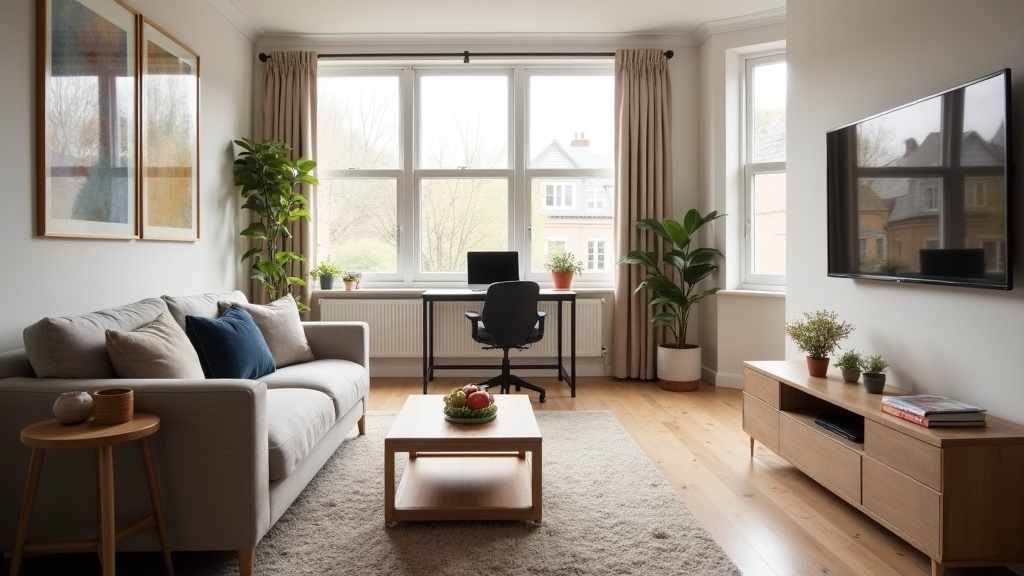
Most UK Airbnb hosts spend hours perfecting their listing photos and agonising over their nightly rate — then wonder why their bookings flatline. Meanwhile, a handful of tweaks buried in your title, description, and amenity settings are quietly deciding whether travellers even see your property. Airbnb SEO optimisation isn't about gaming the system — it's about speaking the language Airbnb's search algorithm actually understands.
This guide reveals five specific, often-overlooked changes that can shift your listing from page three obscurity to consistent visibility. No guesswork, no fluff — just actionable fixes you can implement today.
1. Your Title Is Backwards (And Airbnb's Algorithm Notices)
Most hosts write titles for humans. Airbnb's search algorithm reads them differently. The first 3-5 words of your title carry disproportionate weight in search rankings, yet the majority of UK listings bury their most search-relevant information at the end.
Here's what most hosts do wrong: they lead with adjectives ('Stunning 2-Bed Flat') or neighbourhood charm ('Charming Victorian Terrace'). Travellers don't search for 'stunning' or 'charming' — they search for location + property type + key feature. A title like 'Cosy Apartment Near City Centre with Parking' wastes precious front-loaded space on 'cosy' when 'City Centre Apartment with Free Parking' puts the high-intent keywords exactly where Airbnb's algorithm weighs them most heavily.
The fix: Restructure your title to prioritise searchable terms in this order:
- Hyper-local location (neighbourhood name, landmark, or district — not just 'London')
- Property type (flat, cottage, townhouse, studio)
- Top functional amenity (parking, garden, workspace, pet-friendly)
Example transformation: 'Beautiful Georgian Home in Quiet Street' becomes 'Clifton Village Townhouse • Free Parking • Garden'. The second version targets three separate search filters and front-loads the neighbourhood name that local searchers actually type.
Airbnb's algorithm also favours titles that match the filters travellers activate. If someone searches for 'pet-friendly' listings in Bath, a title containing 'Dog-Friendly' or 'Pets Welcome' gets a relevance boost over one that only mentions it in the description. Our guide to writing the perfect Airbnb title breaks down exactly which keywords convert best for different property types.
2. You're Not Claiming Amenities You Already Have (The £10 Coffee Maker Trick)

Airbnb's search filters are binary: you either appear in filtered results or you don't. When a traveller ticks 'Coffee Maker' or 'Essentials' in their search, Airbnb only shows listings with those exact amenities selected — even if you actually provide the item but forgot to tick the box.
The most common missed amenity? Coffee maker. Hosts assume this means an expensive bean-to-cup machine, so they leave it unchecked. But Airbnb's definition includes a basic cafetière or French press — which costs £10-£20 and takes 30 seconds to tick in your amenity settings. That single checkbox puts you in front of every traveller filtering for coffee facilities.
The revenue leak: In competitive urban markets like Manchester, Edinburgh, or Bristol, up to 40% of mid-stay travellers (3-7 nights) filter for coffee makers and workspace amenities. If your listing doesn't appear in those searches, you're invisible to a massive segment of bookings — and you'll never know they existed.
The fix: audit your amenities against what you actually provide. Common overlooked items that unlock search visibility:
- Essentials (towels, bed sheets, soap, toilet paper — if you provide these, tick the box)
- Coffee maker (cafetière, French press, pour-over, or machine — any method counts)
- Cooking basics (pots, pans, oil, salt, pepper — most hosts provide these but forget to claim them)
- Long-term stays allowed (if you accept 28+ night bookings, enable this — it's a separate search filter)
- Self check-in (keypad, lockbox, or smart lock — this is a top-5 filtered amenity for business travellers)
One LetGrow audit client in Brighton added 'Coffee Maker' and 'Cooking Basics' to their amenity list (both already provided, just unclaimed) and saw a 22% increase in search impressions within 10 days. The property didn't change — the visibility did.
If you're unsure which amenities are worth adding or which gaps are costing you bookings, LetGrow's free listing score identifies exactly which missing amenities are hurting your search performance in your specific market.
3. Your Description Doesn't Match How Travellers Actually Search
Airbnb's search algorithm scans your listing description for keyword relevance — but only in the first 250 characters and the final 100. Most hosts bury practical information (parking instructions, workspace details, proximity to transport) halfway through their description, exactly where the algorithm skims over it.
The first paragraph of your description serves two critical functions: it convinces humans to keep reading, and it signals relevance to Airbnb's search ranking. If someone searches for 'apartment near King's Cross with workspace', and your description opens with 'Welcome to our lovely home!' rather than 'Modern King's Cross apartment with dedicated desk and 15-minute walk to St Pancras station', you've just lost algorithmic ground to a competitor who front-loaded those exact terms.
The structure most hosts get wrong:
❌ 'We're delighted to welcome you to our beautiful space in the heart of the city. This charming apartment has been lovingly decorated...'
✅ 'Shoreditch warehouse conversion • sleeps 4 • dedicated workspace • 5-min walk to Old Street tube. Exposed brick, full kitchen, and fast WiFi for remote workers.'
The second version packs location, capacity, key amenities, and traveller intent (remote work) into the algorithmic sweet spot. It also uses natural language that matches actual search queries ('dedicated workspace', 'sleeps 4', 'walk to tube').
The fix: rewrite your first paragraph as a search-optimised summary. Include:
- Precise location (neighbourhood, landmark, or distance to major transport)
- Property type and capacity
- Top 3 amenities that travellers filter for (parking, workspace, garden, pet-friendly)
- A benefit-driven hook (e.g. 'perfect for remote workers', 'family-friendly with travel cot', 'quiet street with private entrance')
Then use the final 100 characters to reinforce your unique selling point or include a call-to-action like 'Book direct for the best rate and instant confirmation'. Airbnb's algorithm gives this closing snippet extra weight for relevance matching.
Our keyword ranking guide shows exactly which phrases UK travellers search for most frequently, broken down by property type and region.
4. You're Ignoring 'Guest Requirements' (The Hidden Ranking Penalty)

Airbnb's search algorithm prioritises listings that accept the widest range of guests. If your Guest Requirements settings are too restrictive — government-issued ID required, minimum account age, positive reviews only — you may be filtering out perfectly legitimate travellers and quietly lowering your search ranking.
This is one of the most counterintuitive aspects of Airbnb SEO optimisation: hosts tighten their requirements to reduce risk, but Airbnb interprets strict requirements as 'lower availability' and deprioritises the listing in search results. A property that only accepts guests with 3+ positive reviews excludes brand-new Airbnb users — who make up roughly 30% of the platform's active traveller base.
The ranking penalty works like this: Airbnb's algorithm predicts the likelihood of a booking request being accepted. If your settings mean you'd reject 40% of potential guests before they even enquire, the algorithm assumes lower conversion and shows your listing to fewer people. It's not a direct penalty — it's a predicted friction point that lowers your relevance score.
The fix: audit your Guest Requirements and relax where possible.
- Government ID: Only require this if local regulations demand it (e.g. certain London boroughs). Otherwise, it's an unnecessary filter.
- Positive reviews: Consider accepting first-time guests. You can still vet them via messaging before approving.
- Trip purpose: Unless you have a strict no-party policy enforced by building rules, avoid restricting trip purpose in your settings.
One Manchester host relaxed their 'positive reviews required' setting and saw a 17% increase in booking requests within two weeks — from legitimate first-time travellers who'd been algorithmically filtered out before.
Balance this with risk management: Use Instant Book with the 'Experienced guests only' or 'Good track record' filters as a middle ground. This keeps your listing accessible in search while maintaining a baseline quality threshold. Your search ranking improves, but you're not accepting completely unvetted bookings.
5. Your Photos Are Technically Perfect (But Algorithmically Weak)
Airbnb's image recognition algorithm scans your photos to categorise your listing and match it to traveller searches. A stunning professional photo that doesn't clearly depict a searchable feature — parking space, workspace setup, garden, kitchen — contributes less to your ranking than a mediocre but explicit shot of a desk with a chair and a lamp.
Most hosts optimise photos for visual appeal (soft lighting, styled interiors, wide angles). That's important for conversion once someone sees your listing. But it doesn't help Airbnb's algorithm understand what you offer so it can surface your property in relevant searches.
Example: You have a dedicated workspace — a desk, ergonomic chair, and good lighting. But your only photo of it is a wide living room shot where the desk is visible in the background, partially obscured by a sofa. Airbnb's image recognition may not confidently tag this as 'workspace'. A traveller filtering for 'dedicated workspace' won't see your listing, even though you technically have the amenity.
The fix: include explicit, unambiguous photos of every filterable amenity.
- Parking: A clear photo of the designated space, driveway, or permit (not just a street view)
- Workspace: A direct shot of the desk setup, ideally showing the chair, laptop space, and lighting
- Kitchen: Full view of worktop, hob, and appliances (not just a stylised corner)
- Garden/Outdoor space: Wide shot showing seating, boundaries, and usable area
- Accessibility features: Step-free entrance, wide doorways, grab rails — photograph them explicitly
Each of these photos should be captioned with the exact amenity name ('Private parking space', 'Dedicated workspace with desk and chair', 'Fully equipped kitchen'). Airbnb's algorithm reads captions to confirm what the image recognition detects, creating a double signal of relevance.
Photo order also matters for search. Your first 5 images are the only ones visible in search results before a traveller clicks through. If your hero image is a generic exterior shot and your next four are bedroom close-ups, you've missed the chance to visually communicate your key differentiators (parking, workspace, garden). Lead with your strongest search-relevant feature in positions 2-5.
If you're unsure whether your photos are working for or against your search ranking, LetGrow's free listing analysis includes photo optimisation feedback — flagging which key amenities are under-photographed and which images should be reordered for maximum algorithmic impact.
Why These Tweaks Matter More Than You Think
Airbnb SEO optimisation isn't a one-time fix — it's a compounding advantage. Each of these five changes independently improves your search visibility by 10-30%. Stack them together, and you're potentially doubling your impressions within a month.
The hosts who consistently rank on page one in competitive UK markets aren't running paid ads or cutting their prices to the bone. They've simply aligned their listings with how Airbnb's algorithm interprets relevance, quality, and guest fit. The difference between page one and page three is rarely the property itself — it's the metadata, amenities, and structural choices that signal to the algorithm 'this listing matches what this traveller wants'.
Our complete listing optimisation guide walks through the full framework for UK hosts, covering everything from title construction to review management.
How to Audit Your Own Listing (Without Second-Guessing Every Word)
The fastest way to identify your specific weak points: compare your listing to the top three properties in your area. Search Airbnb as a guest would (location + dates + filters), note which listings appear first, then analyse:
- Title structure: Do they front-load location and amenities? Do they use symbols (• or |) to separate features?
- Amenity count: How many filterable amenities do they claim? Are you missing any that you actually provide?
- Description opening: Do they lead with search keywords or generic welcome text?
- Photo clarity: Can you immediately identify their parking, workspace, or kitchen from the first five images?
- Guest requirements: Are they more or less restrictive than yours?
This isn't about copying competitors — it's about understanding what the algorithm is already rewarding in your market. If every top-ranked listing in Hackney includes 'workspace' in the title and has a clear desk photo in position 3-5, that's algorithmic feedback worth noting.
If manual auditing feels overwhelming or you want an expert second opinion, LetGrow's free performance score benchmarks your listing against local competitors and flags exactly which SEO elements are holding you back — no guesswork required.
Frequently Asked Questions
How long does it take for Airbnb SEO changes to affect my ranking?
Most title, description, and amenity changes begin influencing search results within 24-48 hours. However, sustained ranking improvements typically become visible over 7-14 days as Airbnb's algorithm observes engagement signals (click-through rate, booking conversion) on your updated listing. Photo reordering and new images may take slightly longer to be fully indexed by Airbnb's image recognition system.
Can I rank well without professional photos?
Yes — algorithmic ranking prioritises clarity and relevance over professional polish. A well-lit smartphone photo that explicitly shows your parking space or workspace will outperform a beautifully styled shot that obscures key features. Professional photos help conversion once someone clicks, but clear, well-captioned images of searchable amenities drive initial visibility.
Does lowering my price improve my Airbnb search ranking?
Not directly. Airbnb's algorithm considers value (price relative to similar listings) rather than absolute price. A £150/night listing that's competitively priced for its location and amenities can rank higher than a £60/night listing that's overpriced for what it offers. Dramatic undercutting may increase bookings short-term but doesn't sustainably improve search position.
Which amenities have the biggest impact on UK search rankings?
The highest-impact amenities are those travellers filter for most frequently: Free parking, Wifi, Self check-in, Kitchen, Dedicated workspace, and Washing machine. In London and other urban markets, Lift/Elevator and Luggage drop-off allowed also drive significant search volume. Pet-friendly listings capture a niche but high-intent audience with less competition.
Should I use emojis or symbols in my Airbnb title?
Sparingly. Symbols like • or | can improve scannability and help segment key features ('City Centre Flat • Parking • Balcony'), but excessive emojis or special characters may trigger Airbnb's spam filters or reduce perceived professionalism. Stick to one or two simple separators and prioritise readable, keyword-rich text over visual flair.
How often should I update my listing for SEO?
Major structural changes (title, description, amenities) should be reviewed every 3-6 months or when you add new features. Minor tweaks — refreshing photos, adjusting captions, testing new keywords — can be tested monthly. Airbnb's algorithm rewards recent activity, so periodic updates signal an active, well-maintained listing. Avoid constant daily changes, which can appear erratic and confuse the algorithm.
Your Next Steps
Airbnb SEO optimisation isn't about perfection — it's about making your listing legible to the algorithm. The five tweaks above address the most common blind spots UK hosts face: front-loading searchable keywords in your title, claiming amenities you already provide, structuring your description for algorithmic weight, relaxing overly strict guest requirements, and photographing features explicitly enough for image recognition to categorise them.
Start with the lowest-hanging fruit: audit your amenities against what you actually provide, rewrite your title to prioritise location and features, and check your first paragraph for search-relevant keywords. Those three changes alone can shift your visibility within a week.
If you'd rather have an expert eye on your listing with tailored, property-specific recommendations, LetGrow's free Airbnb performance score analyses your title, description, photos, pricing, and competitive positioning — then shows you exactly what to fix first. No obligation, no sales pressure — just actionable insights to help you rank higher and book more consistently.