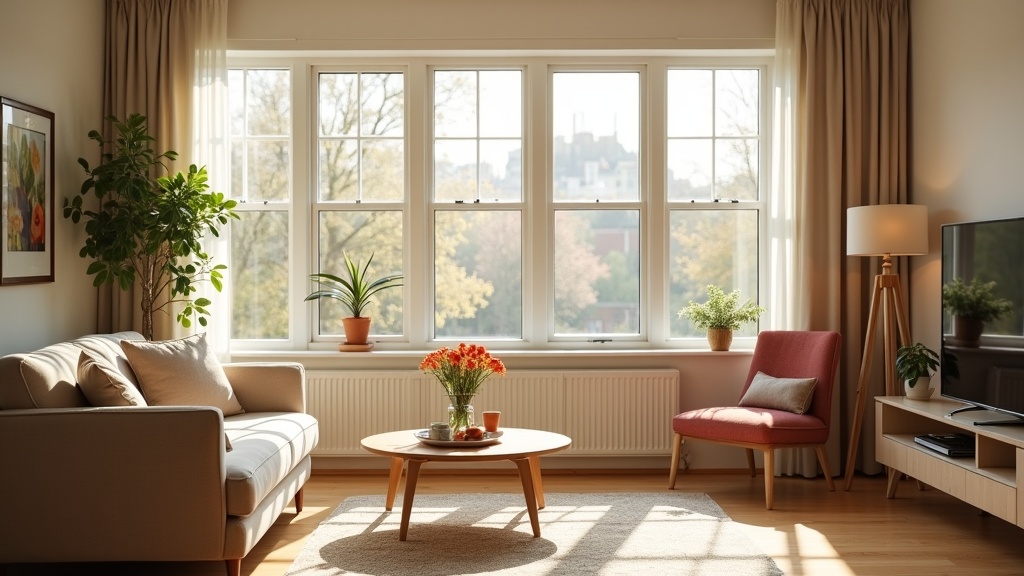
Learning how to create an Airbnb listing can feel overwhelming when you're starting out, but with the right approach, you can have your property live and booking-ready within a few hours. Whether you're listing a spare room in London or a holiday cottage in the Lake District, this comprehensive guide walks you through each step of setting up your first Airbnb listing to maximise bookings from day one.
What do you need before creating your first Airbnb listing?
You'll need basic property details, 5-20 high-quality photos, your availability calendar, and pricing strategy prepared before starting the listing process.
Before diving into the Airbnb platform, gather these essential elements:
- Property documentation: Proof of ownership or permission to sublet, insurance details, and any relevant planning permissions
- High-quality photographs: At least 5 professional-looking images showcasing your space's best features
- Property measurements: Accurate room sizes, bed dimensions, and capacity limits
- Amenities inventory: Complete list of everything guests can use, from WiFi to coffee makers
- Local knowledge: Transport links, nearby attractions, and neighbourhood highlights
- Competitive research: Understanding of local pricing and what similar properties offer
Take time to research your local market thoroughly. Check what similar properties in your area are charging and note their most popular amenities. This groundwork will save hours during the actual setup process.
How to create your Airbnb host account step-by-step
Visit airbnb.co.uk, click 'Become a Host', provide your personal details, verify your identity with government ID, and complete the basic host profile setup.
The account creation process is straightforward but requires attention to detail:
- Visit Airbnb and select 'Become a Host': Navigate to airbnb.co.uk and click the prominent hosting button
- Choose your property type: Select from entire place, private room, or shared room
- Provide personal information: Full legal name, date of birth, and contact details
- Verify your identity: Upload a clear photo of your UK driving licence or passport
- Add your phone number: Airbnb will send a verification code via SMS
- Create your host profile: Write a brief, friendly introduction highlighting your local expertise
Your host profile is often the first thing potential guests see, so craft it carefully. Mention your local knowledge, hosting experience (even if it's your first listing), and what you enjoy about your area. Keep it personal but professional.
Writing your Airbnb title and description that converts
Create a title under 50 characters highlighting your property's best feature and location, then write a detailed description covering space, amenities, location benefits, and guest experience.
Your listing title is crucial for both search visibility and guest appeal. Follow this formula:
[Distinctive Feature] + [Property Type] + [Key Location/Benefit]
Examples of effective titles:
- "Stylish Central Manchester Flat - 2min to Trams"
- "Cosy Cotswolds Cottage with Private Garden"
- "Modern Edinburgh Apartment near Royal Mile"
For your description, structure it in clear sections:
The space
Describe each room guests can access, highlighting unique features and comfort elements. Be specific about sleeping arrangements, workspace areas, and any special touches that set your property apart.
Guest access and amenities
List all amenities clearly, focusing on those most important to your target guests. Business travellers value fast WiFi and workspace areas, while families prioritise kitchen facilities and entertainment options.
The neighbourhood
Share insider knowledge about local restaurants, transport links, and attractions. This demonstrates your expertise and helps guests envision their stay. Include walking times to key locations and any local tips that show you're a knowledgeable host.
For detailed guidance on crafting descriptions that drive bookings, see our comprehensive Airbnb description writing guide, which includes proven templates and conversion-optimised examples.
How to photograph your Airbnb listing like a pro
Take 15-20 well-lit photos showing your entrance, all guest areas, key amenities, and neighbourhood highlights using natural light and wide-angle shots where possible.
Photography can make or break your listing's success. Follow this systematic approach:
Essential shots to include
- Hero image: Your most impressive space, typically the living room or a stunning bedroom view
- All guest-accessible rooms: Bedroom(s), bathroom(s), kitchen, living areas
- Key amenities: Workspace, outdoor space, parking, special features
- Entrance and exterior: Help guests find and recognise your property
- Neighbourhood shots: Nearby cafés, transport links, or scenic views
Photography tips for better bookings
Shoot during golden hour (morning or late afternoon) when natural light is warmest. Turn on all lights to create a welcoming atmosphere. Use your phone's wide-angle setting to make rooms appear more spacious, but avoid distortion that makes spaces look unrealistic.
Stage each room thoughtfully: make beds with crisp linens, clear surfaces of personal items, and add small touches like fresh flowers or strategically placed books. These details signal quality and care to potential guests.
Setting your Airbnb pricing strategy for maximum bookings
Research local competitor rates, set a competitive base price, and implement dynamic pricing with weekend uplift and seasonal adjustments to optimise revenue.
Pricing strategy directly impacts your booking rate and revenue. Start with thorough market research:
Competitive analysis approach
Search Airbnb as a guest for your area, filtering for properties similar to yours in size, amenities, and style. Note the pricing patterns:
- Weekend vs weekday rates
- Seasonal variations
- Premium charged for popular amenities
- Discount strategies used by successful hosts
To streamline this research process, learn how to systematically identify and analyse your Airbnb competitors using proven techniques that save time while gathering actionable insights.
Dynamic pricing considerations
Implement different rates for:
- Weekend uplift: Typically 20-40% higher than weeknights in urban areas
- Seasonal adjustments: Higher during local events, holidays, and peak tourist seasons
- Length-of-stay discounts: Encourage longer bookings with weekly and monthly reductions
- Last-minute availability: Consider modest discounts for dates within 7 days
Start slightly below market rate for your first few bookings to generate initial reviews, then gradually increase to your target pricing as you build credibility.
Configuring house rules and booking settings
Set clear house rules covering check-in times, smoking policy, pets, and noise considerations, then configure your booking preferences for instant book, advance notice, and cancellation policies.
Your house rules and booking settings directly impact guest experience and your workload management:
Essential house rules to include
- Check-in and check-out times: Be specific and realistic about your availability
- Smoking policy: Clearly state whether smoking is permitted and where
- Pet policy: Specify if pets are welcome and any associated fees
- Noise considerations: Set expectations for quiet hours, especially in residential areas
- Guest capacity: Firmly enforce maximum occupancy for safety and neighbour relations
- Party policy: Explicitly state your position on events and gatherings
Booking settings optimisation
Consider enabling Instant Book once you're comfortable with hosting basics. This feature can increase your booking rate by up to 30%, as many guests prefer immediate confirmation. However, start with request-to-book if you want to screen guests initially.
Set your advance notice requirement based on your schedule flexibility. Requiring 1-2 days' notice gives you preparation time, while same-day bookings can fill last-minute gaps but require constant availability.
How to optimise your new listing for better visibility
Complete all profile sections, respond quickly to enquiries, maintain flexible cancellation policies initially, and focus on earning your first few 5-star reviews to improve search ranking.
Airbnb's search algorithm favours complete, responsive, and well-reviewed listings. Focus on these ranking factors:
Profile completion
Fill every available field in your listing. Incomplete profiles rank lower in search results. This includes:
- All amenity selections that apply to your property
- Detailed accessibility information
- Transportation details and local highlights
- Safety features like smoke detectors and first aid kits
Response rate and time
Aim to respond to all enquiries within one hour, even if it's just acknowledging receipt. Airbnb tracks response time and factors it into search ranking. Set up mobile notifications to stay responsive.
Early review strategy
Your first few reviews are crucial for establishing credibility. Consider inviting friends or family for short stays to generate initial feedback, then focus on exceeding expectations for your first paying guests.
For comprehensive guidance on improving your listing's performance after launch, explore our detailed Airbnb listing optimisation guide, which covers advanced techniques for increasing bookings and revenue.
Final steps: going live with your Airbnb listing
Review all details carefully, set your initial availability calendar, publish your listing, then monitor performance closely and make adjustments based on guest feedback and booking patterns.
Before hitting 'publish', conduct a final review:
- Proofread everything: Check spelling, grammar, and accuracy in your title and description
- Verify photo order: Ensure your best image leads and photos flow logically through your space
- Test your pricing: Compare final rates against similar properties one more time
- Confirm amenities: Double-check that every listed amenity is actually available
- Set initial availability: Open your calendar for at least the next 3 months
Once live, monitor your listing's performance closely. Track views, enquiries, and booking conversion rates. If you're not receiving enquiries within the first week, consider adjusting your pricing or improving your photos.
If you'd like an expert assessment of your new listing with specific suggestions for improvement, LetGrow's free listing score analyses your title, photos, pricing, and amenities to show exactly where you stand against local competitors.
Post-launch optimisation
After your first few bookings, analyse what's working:
- Which photos get the most attention in your analytics
- Common questions from potential guests (consider adding this information to your description)
- Feedback patterns in your first reviews
- Seasonal demand fluctuations in your area
Remember that successful hosting is an ongoing process of refinement. Focus on consistently earning 5-star reviews by exceeding guest expectations, as this drives long-term success more than any other factor.
Common new host mistakes to avoid
Avoid overpricing initially, using poor-quality photos, writing vague descriptions, being unresponsive to enquiries, and failing to provide local recommendations that enhance the guest experience.
Learn from these frequent pitfalls that derail new listings:
Pricing and availability errors
- Starting too high: New listings without reviews need competitive pricing to attract initial bookings
- Inconsistent availability: Blocking then unblocking dates signals uncertainty to Airbnb's algorithm
- Ignoring local events: Missing opportunities to charge premium rates during conferences, festivals, or sporting events
Communication mistakes
- Slow response times: Delayed responses often mean lost bookings in competitive markets
- Overly formal tone: Guests prefer friendly, approachable communication over corporate-style messages
- Missing local insights: Failing to provide restaurant recommendations and transport tips wastes your competitive advantage
If you're expanding into specific markets, consider location-specific strategies. For example, our comprehensive guide to starting an Airbnb in Manchester covers city-specific regulations, optimal neighbourhoods, and pricing strategies that work in competitive urban markets.
For broader context on building a successful hosting business, return to our complete step-by-step guide to starting an Airbnb in the UK, which covers legal requirements, tax considerations, and scaling strategies beyond your first listing.
Creating your first Airbnb listing is just the beginning of your hosting journey. With careful preparation, attention to detail, and a commitment to guest experience, you'll build a successful short-term rental business that generates consistent income while showcasing your local area to travellers from around the world. Ready to see how your listing measures up? Get your free score at LetGrow and discover exactly what guests see when they find your property.
Frequently Asked Questions
How long does it take to create an Airbnb listing?
Creating a basic Airbnb listing takes 2-3 hours if you have photos and property details prepared. However, crafting a high-converting listing with optimised title, detailed description, and professional-quality photos typically requires 4-6 hours of focused work.
Do I need professional photos for my first Airbnb listing?
Professional photography isn't mandatory, but high-quality photos are essential. You can achieve excellent results with a modern smartphone, good lighting, and careful staging. Focus on natural light, wide-angle shots, and showcasing your property's best features.
What's the minimum number of photos needed for an Airbnb listing?
Airbnb requires at least 5 photos, but successful listings typically have 15-25 images. Include your entrance, all guest-accessible rooms, key amenities, outdoor spaces, and neighbourhood highlights to give guests a complete picture of their potential stay.
Should I enable Instant Book for my first Airbnb listing?
New hosts often benefit from starting with 'Request to Book' to screen guests and build confidence. Once you've earned several 5-star reviews and feel comfortable with hosting processes, enable Instant Book to increase booking rates by up to 30%.
How do I price my Airbnb listing competitively?
Research similar properties in your area, noting weekend vs weekday rates and seasonal patterns. Start slightly below market rate for your first bookings to generate reviews, then gradually increase pricing. Consider dynamic pricing with weekend uplift and seasonal adjustments.
What house rules should I include in my first Airbnb listing?
Essential house rules include check-in/out times, smoking policy, pet policy, noise considerations, maximum guest capacity, and party restrictions. Be clear and specific to set appropriate expectations and protect your property and neighbourhood relationships.