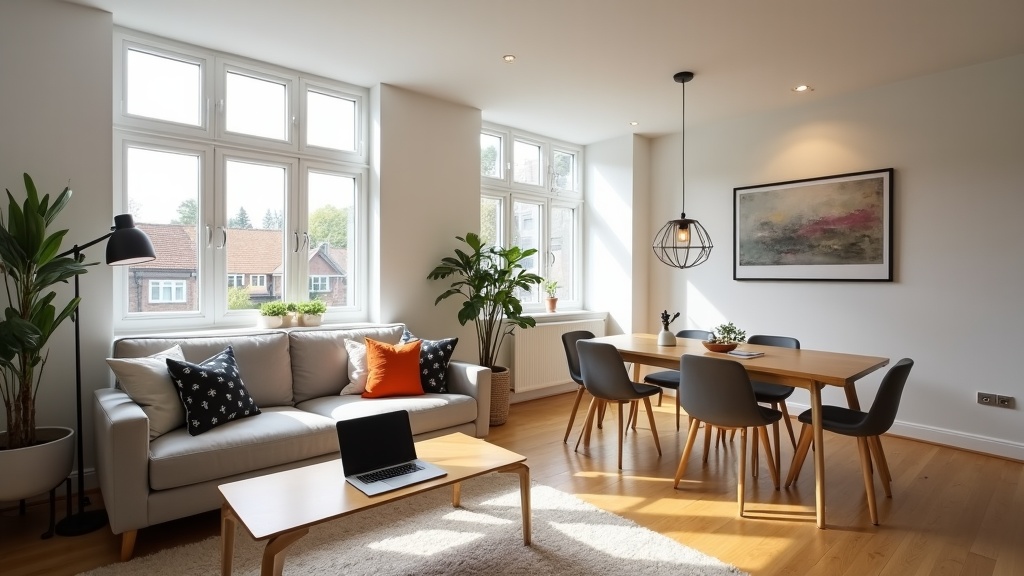
When your Airbnb booking calendar looks emptier than you'd like, waiting weeks for gradual improvements feels frustrating. The good news? Many effective airbnb optimisation quick wins can be implemented within 24 hours, often leading to immediate improvements in search visibility and guest interest. Whether you're a new host struggling to get your first bookings or an experienced operator looking to fill last-minute gaps, these rapid-fire optimisation tactics can transform your listing's performance overnight.
Why do quick Airbnb optimisation wins matter so much?
Quick optimisation wins matter because Airbnb's algorithm responds rapidly to listing improvements, potentially boosting your search ranking within hours of implementation. Small changes like updating your title, adjusting pricing, or adding missing amenities can immediately make your property appear in more relevant searches, whilst building momentum for longer-term success.
Research from vacation rental analytics platforms shows that listings implementing multiple small optimisations simultaneously see an average 15-25% increase in booking inquiries within the first week. The key lies in understanding that Airbnb's search algorithm continuously evaluates hundreds of factors, and strategic improvements can quickly shift your listing's competitive position.
The psychological impact on hosts shouldn't be underestimated either. Quick wins create positive momentum and confidence, making you more likely to tackle bigger optimisation projects that require sustained effort over weeks or months.
What are the fastest title optimisations that improve bookings today?
The fastest title optimisations focus on adding specific location details, popular amenities, and guest benefits that immediately improve search visibility and click-through rates from search results.
Start by reviewing your current title against these proven quick fixes:
- Add precise location details: Instead of "Central London Flat", try "Covent Garden Flat | 2min to Tube | Theatre District". Guests search for specific neighbourhoods, not vague areas.
- Highlight commute benefits: "5min Walk to Manchester Piccadilly" or "Direct Train to Edinburgh Castle" appeal to business travellers and tourists planning their itinerary.
- Include property type clarity: "Victorian Terrace House" performs better than "Beautiful Home" because it sets clear expectations.
- Feature top amenities upfront: "Parking + Garden + Fast WiFi" in your title can differentiate from dozens of similar properties.
A Manchester host recently changed their title from "Lovely 2-Bed House Near City" to "2-Bed Victorian House | Free Parking | 10min to Deansgate" and saw a 40% increase in profile views within three days. The specificity helped guests immediately understand the property's key benefits.
For detailed guidance on crafting compelling titles that convert browsers into bookers, our comprehensive Airbnb title writing guide provides proven formulas and real examples from high-performing UK listings.
Which amenities can you add or highlight within hours?
The most impactful quick-add amenities cost under £50 and address common guest pain points: connectivity, comfort, and convenience during their stay.
Here's your 24-hour amenities action plan:
Immediate zero-cost additions
- Self check-in: If you have a lockbox or smart lock, ensure this amenity is ticked. It's increasingly essential for international guests arriving at odd hours.
- Laptop-friendly workspace: A small table with good lighting counts. Don't overlook this if you have one—business travellers specifically filter for this.
- Luggage drop-off: If guests can arrive before check-in and leave bags, this flexibility appeals to day-trip planners.
Quick purchases under £30
- Coffee maker: A £15 cafetière counts as "Coffee Maker" in Airbnb's amenity filters. This simple addition helps your listing appear in filtered searches.
- Hair dryer: A basic £20 model eliminates a common guest complaint and signals attention to detail.
- Iron and board: Business travellers and wedding guests specifically search for this. A compact version costs £25-30.
Same-day delivery options (£50-100)
- Smart TV with streaming: If your current TV is basic, a £60 Amazon Fire Stick transforms the entertainment experience.
- Portable air conditioning: During summer months, this can be a booking-deciding factor for UK properties without built-in cooling.
- Extra bedding sets: Having spares allows you to tick "Linens provided" confidently and reduces changeover stress.
Remember to photograph any new amenities and update your listing photos accordingly—guests need visual confirmation that amenities exist.
How can you optimise pricing for immediate booking boosts?
Strategic pricing adjustments can trigger immediate booking activity by making your listing more attractive to price-sensitive guests or positioning it competitively for last-minute bookings.
The fastest pricing wins typically involve:
Dynamic availability pricing
- Last-minute discounts: Enable Airbnb's automatic 10-20% discount for bookings made within 3 days. This captures spontaneous travellers and improves occupancy.
- Weekly and monthly discounts: Set 15% weekly and 25% monthly discounts to appear in longer-stay searches, particularly relevant for business travellers and relocating professionals.
- Gap-night pricing: Manually reduce rates for single nights between bookings that would otherwise stay empty.
Competitive positioning review
Check 5-10 similar listings in your immediate area. If you're priced more than 20% above comparable properties without obvious justification (better amenities, superior location), consider a temporary rate reduction to stimulate bookings.
A Edinburgh host noticed their flat was priced £15 higher than similar properties during weekdays. By reducing weeknight rates by £10 (keeping weekend rates high), they increased midweek bookings by 60% while maintaining overall revenue.
Not sure how your pricing compares to local competitors? Get your free Airbnb performance score to see exactly where you stand in your market and identify immediate pricing opportunities.
What quick photo improvements make the biggest difference?
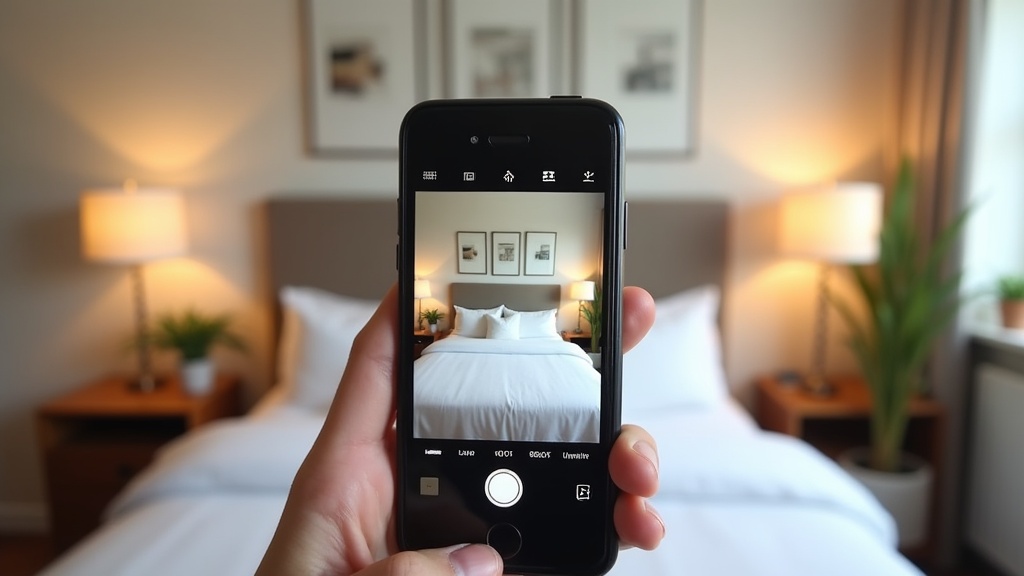
Photo improvements that can be implemented within 24 hours focus on reordering existing images strategically and capturing missing shots that address common booking hesitations.
Your immediate photo optimisation checklist:
Hero image assessment
Your first photo should showcase the property's best feature and create an immediate emotional connection. Common quick fixes include:
- Switch to your brightest, most spacious room if your current hero feels cramped or dark
- Choose photos with natural light over artificially lit evening shots
- Feature unique selling points upfront—if you have a stunning view or period features, lead with these
Missing essential shots
Take these photos today if they're missing from your listing:
- Bathroom overview: Guests want to see the full bathroom layout, not just artistic detail shots
- Parking area: If you offer parking, show guests exactly where they'll park and how to access it
- Kitchen workspace: Wide shots showing counter space and appliances help guests plan their stay
- Entry point: Front door or building entrance helps guests identify your property on arrival
Photo order strategy
Rearrange your existing photos to follow this proven sequence: hero shot, main living space, kitchen, bedrooms, bathroom, unique features, exterior/location shots. This mirrors how guests mentally 'walk through' a property when browsing.
For comprehensive guidance on creating compelling property photos without hiring a professional photographer, explore our detailed photo optimisation strategies that UK hosts use to dramatically improve their booking rates.
How do you write descriptions that convert browsers into bookers?

Converting descriptions focus on addressing guest decision-making factors within the first two sentences, then systematically answering practical questions that influence booking choices.
Your 24-hour description rewrite strategy:
Opening hook rewrite
Replace generic phrases like "Welcome to our lovely home" with specific benefits:
- Before: "Beautiful flat in great location"
- After: "Stylish 2-bedroom flat with free parking, 8-minute walk to Bath Spa station and city centre restaurants"
Essential information structure
Organise your description to answer these questions in order:
- What makes this special? Unique features, best amenities, location advantages
- Who is this perfect for? Business travellers, families, couples, groups—be specific
- What's the neighbourhood like? Transport links, restaurants, attractions within walking distance
- What practical details matter? Check-in process, parking instructions, WiFi speeds for remote workers
Guest persona targeting
Tailor specific paragraphs to your most likely guests:
- Business travellers: "Fast 200mbps WiFi, dedicated workspace, and 15-minute commute to Canary Wharf"
- Families: "Child-safe garden, travel cot available, and 5-minute drive to Legoland Windsor"
- Tourist groups: "Sleeps 6 comfortably, 2 bathrooms, and walking distance to Tower Bridge and Borough Market"
A Cotswolds cottage host increased their booking conversion rate by 35% simply by rewriting their description to specifically mention dog-walking routes, pet-friendly pubs, and muddy paw cleaning facilities—targeting the dog-owner market that their location naturally attracted.
What instant search optimisation tactics work immediately?
Instant search optimisation tactics involve updating specific listing elements that immediately improve your property's visibility in Airbnb's search algorithm and filtered searches.
Implement these search-boosting changes today:
Availability calendar optimisation
- Open your calendar 6-12 months ahead: Airbnb favours listings with longer availability windows
- Remove obvious blocked dates: If dates are blocked for personal use far in advance, they signal low commitment to hosting
- Enable instant book for qualified guests: This typically increases search ranking and appeals to last-minute bookers
Response rate improvements
- Set up automated responses: Immediate acknowledgment of inquiries improves your response rate metric
- Create template responses: Pre-written answers to common questions speed up your actual response time
- Enable mobile notifications: Faster responses directly impact search ranking
Guest requirement adjustments
Review your guest requirements for unnecessary barriers:
- Government ID requirement: Essential for safety but ensure it's clearly communicated
- Minimum age requirements: Only restrict if genuinely necessary—younger guests book more frequently
- Review requirements: New hosts might consider accepting guests without previous reviews initially
Want to see how these optimisations impact your overall listing performance? LetGrow's free analysis shows exactly where your listing stands and identifies the highest-impact improvements for your specific property.
How can you leverage guest reviews for immediate credibility?
Leveraging guest reviews for immediate credibility involves strategically responding to existing reviews and encouraging recent guests to highlight specific aspects of their stay that address common booking concerns.
Review response strategy
Respond to recent reviews within 24-48 hours with these tactics:
- Thank guests for specific mentions: "Delighted you enjoyed the garden and found the parking so convenient"
- Address any concerns publicly: Shows future guests you're responsive and care about the experience
- Highlight improvements made: "Thanks for the feedback—we've since added blackout curtains and extra towels"
Encouraging specific review content
In your post-stay message, gently guide guests toward mentioning aspects that help future bookings:
- Location benefits: "Hope you enjoyed exploring Bath's restaurants within walking distance"
- Practical amenities: "Glad the WiFi worked well for your work calls"
- Unique features: "The Victorian period features really make this place special"
Review keyword optimisation
When guests mention key amenities or location benefits in reviews, these become searchable content that improves your listing's discoverability for relevant searches.
What technology and automation improvements take minutes but save hours?
Technology and automation improvements that can be implemented within hours include setting up messaging templates, automated pricing rules, and streamlined check-in processes that reduce ongoing management time whilst improving guest satisfaction.
Messaging automation setup
- Pre-arrival messages: Automated messages with check-in instructions, WiFi passwords, and local recommendations sent 24 hours before arrival
- Check-in confirmations: Automatic "welcome" messages when guests arrive, with emergency contact details
- Mid-stay check-ins: Day 2 automated messages asking if guests need anything, showing attentiveness
- Post-checkout follow-ups: Review requests and feedback collection sent automatically after departure
Smart pricing tools
Enable Airbnb's built-in Smart Pricing with custom minimum and maximum rates, then refine based on local events and seasonal patterns. This ensures you're never dramatically under or overpriced compared to market rates.
Digital guidebook creation
Create a simple digital guidebook using Airbnb's built-in tools or Google Docs, covering:
- WiFi and TV instructions
- Local restaurant recommendations with delivery apps
- Transport connections and parking details
- Emergency contacts and local services
This comprehensive approach to optimisation forms part of a broader strategy. For a complete understanding of how these quick wins fit into long-term success, explore our complete UK guide to Airbnb listing optimisation, which covers advanced techniques for sustained growth.
Creating your 24-hour optimisation action plan
Your most effective approach involves prioritising high-impact, low-effort changes first, then systematically working through medium-effort improvements that collectively transform your listing's performance.
Hour 1-2: Title and description rewrite
- Review competitor titles for keyword inspiration
- Rewrite your title with specific location and amenity details
- Update your description opening with concrete benefits
- Add practical details that address booking hesitations
Hour 3-4: Photo audit and improvements
- Evaluate your hero image for brightness and appeal
- Reorder photos following the strategic sequence outlined above
- Take missing essential shots (bathroom, parking, entrance)
- Remove any poor-quality or duplicate images
Hour 5-6: Amenities and pricing review
- Audit your amenity list for missing obvious items
- Add zero-cost amenities you already provide
- Research comparable pricing in your immediate area
- Implement dynamic discounts for last-minute and longer stays
Hour 7-8: Technical optimisation and automation
- Set up automated messaging templates
- Open your availability calendar further ahead
- Review and adjust guest requirements
- Enable instant book if appropriate for your situation
Track your results over the following week, monitoring changes in profile views, inquiry rates, and booking conversion. This data helps you understand which optimisations had the greatest impact on your specific listing and market.
Frequently Asked Questions
How quickly do Airbnb optimisation changes take effect?
Most optimisation changes take effect within 2-4 hours, with search ranking improvements typically visible within 24-48 hours. Title and description updates appear immediately, whilst pricing changes and new amenities may take slightly longer to influence search algorithm positioning.
What's the most important single change for immediate impact?
Updating your title with specific location details and key amenities typically provides the most immediate impact, as it improves visibility in both general and filtered searches whilst increasing click-through rates from search results.
How much should I spend on quick optimisation improvements?
Effective quick optimisations can be achieved with £50-100 or less, focusing on essential amenities like coffee makers, hair dryers, and basic entertainment upgrades. The highest-impact changes often cost nothing—just time and strategic thinking.
Do I need professional photos for quick optimisation wins?
Professional photography isn't necessary for immediate improvements. Strategic reordering of existing photos, better lighting, and capturing missing essential shots with your smartphone can significantly improve performance within 24 hours.
How do I know if my optimisations are working?
Monitor your listing's performance through Airbnb's host dashboard, tracking metrics like profile views, inquiry rates, and booking conversion percentages. Positive changes typically become apparent within 7-14 days of implementation.
Should I implement all optimisations at once or gradually?
For maximum impact, implement multiple optimisations simultaneously within your 24-hour window. This creates compound effects and helps establish momentum, though you should track which changes correlate with improved performance for future reference.
Ready to discover exactly where your listing stands and what specific improvements would have the biggest impact? Get your free comprehensive listing score from LetGrow and start implementing the changes that will transform your Airbnb's performance.