Your Airbnb listing photos are technically perfect — sharp focus, good lighting, professionally staged — yet guests keep scrolling past to book the flat next door. The difference? Photo order. The sequence in which Airbnb displays your images determines whether a guest clicks through to read your description or hits the back button within three seconds.
Most UK hosts upload brilliant photos in the wrong order, burying their strongest selling points on slide seven while competitors lead with impact. This guide reveals the exact photo sequencing strategy that stops the scroll and converts browsers into bookers.
Why Airbnb Listing Photo Order Matters More Than Quality
The order of your Airbnb photos determines conversion rate more than individual image quality. Airbnb's search results show only your cover photo initially, then displays photos 2-5 when guests hover or tap. If these first five images don't communicate your unique value within seconds, you've lost the booking to a competitor with weaker photos in a stronger sequence.
Think of photo order as visual storytelling. Each image should answer a question the guest is silently asking: Is this place nice enough? Will I be comfortable? Does it have what I need? Get the sequence wrong and you're answering questions they haven't asked yet whilst ignoring their deal-breakers.
A Manchester city centre host moved their private parking photo from position 14 to position 3. Their click-through rate jumped 34% overnight. The quality didn't change — the strategic positioning did. LetGrow's free listing score analyses your current photo order and identifies which images should lead your gallery based on your property type and target guest.
The First Photo That Stops Guests Scrolling: Your Airbnb Cover Photo
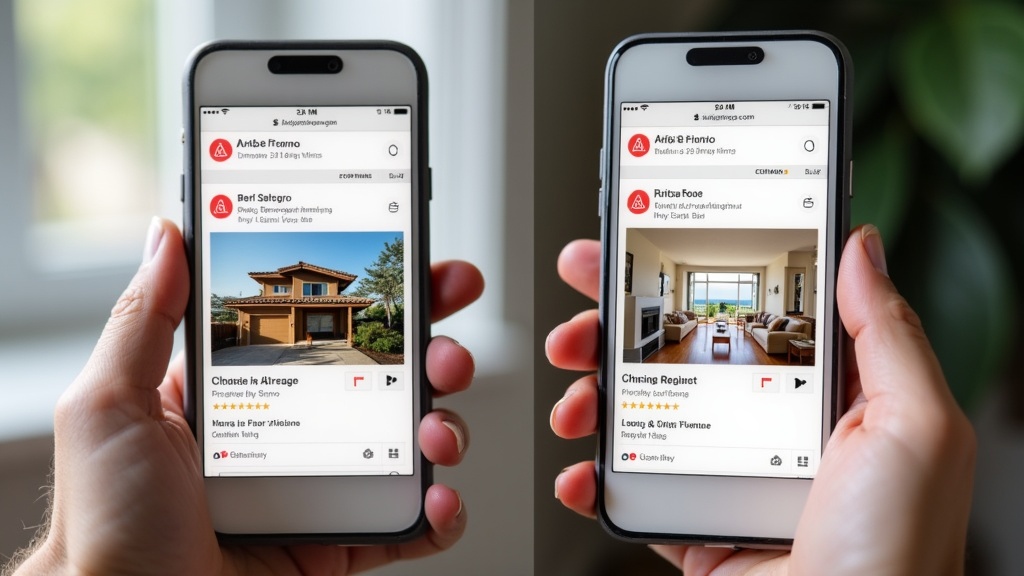
Your cover photo — the first image in your listing — appears in search results alongside dozens of competitors. It must communicate your property's primary selling point in a single glance, not just look pretty.
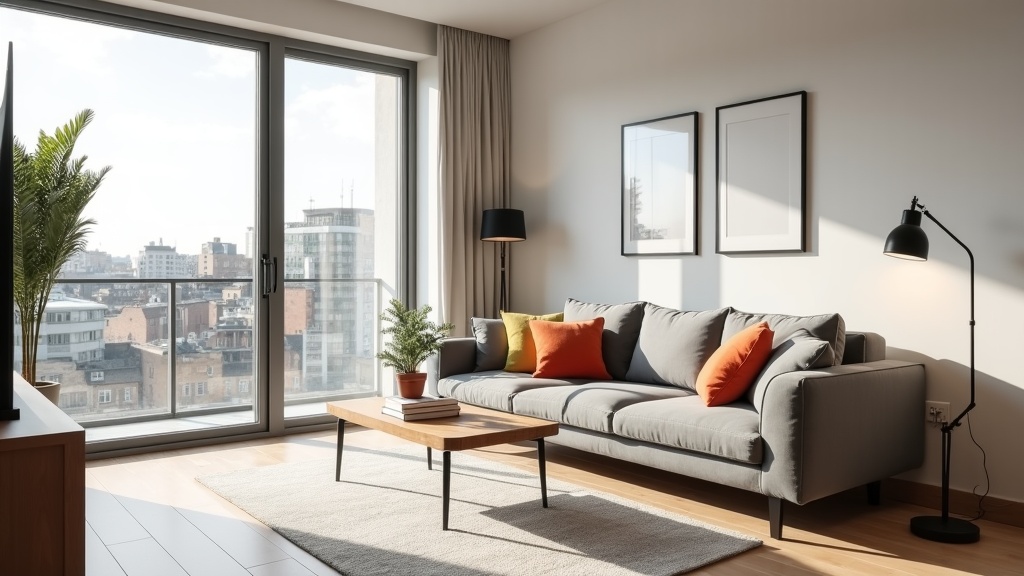
Urban apartments: Lead with your most spacious, light-filled room photographed from the corner that makes it look largest. A bright, airy living room with large windows and contemporary furniture beats a bedroom shot every time for city properties. Guests browsing Manchester or London flats are subconsciously screening for "not cramped, not dark, not dated."
Countryside cottages: Exterior shots showing period features (stone walls, thatched roofs, gardens) outperform interior photos because guests are buying the rural fantasy. A Cotswolds cottage's honey-stone exterior surrounded by climbing roses answers the question "is this authentically charming?" before they've read a word.
Seafront properties: The view should be your cover photo if it's genuinely spectacular. A balcony shot overlooking Brighton beach or a Cornish harbour instantly justifies premium pricing. If your sea view is distant or partially obscured, lead with your best interior instead — an average view won't compete with properties that have uninterrupted ocean panoramas.
The mistake? Leading with a generic bedroom because "that's where guests sleep." Your cover photo isn't about function — it's about desire. What makes a stranger want your property over the identical flat two streets away?
Photos 2-5: The Make-Or-Break Hover Sequence
Positions 2-5 appear when guests hover over your listing in search results, and this four-image sequence determines whether they click through to your full listing. These photos must work together as a rapid-fire value proposition, not a random collection of nice rooms.
The strategic sequence follows guest psychology:
Position 2 — Solve their biggest concern: For city flats, this is usually the bedroom (proving it's not a windowless box). For family properties, show the full kitchen (proving you can actually cook, not just boil a kettle). For business traveller accommodation, show the workspace with natural light and proper desk setup.
Position 3 — Your unique amenity: This is where you differentiate. Private parking in city centres. A dedicated office for remote workers. A south-facing garden. An ensuite bathroom. Whatever amenity your competitors don't have goes here. If you're unsure what makes you different, LetGrow's competitor analysis shows exactly how your amenities stack up against similar listings in your area.
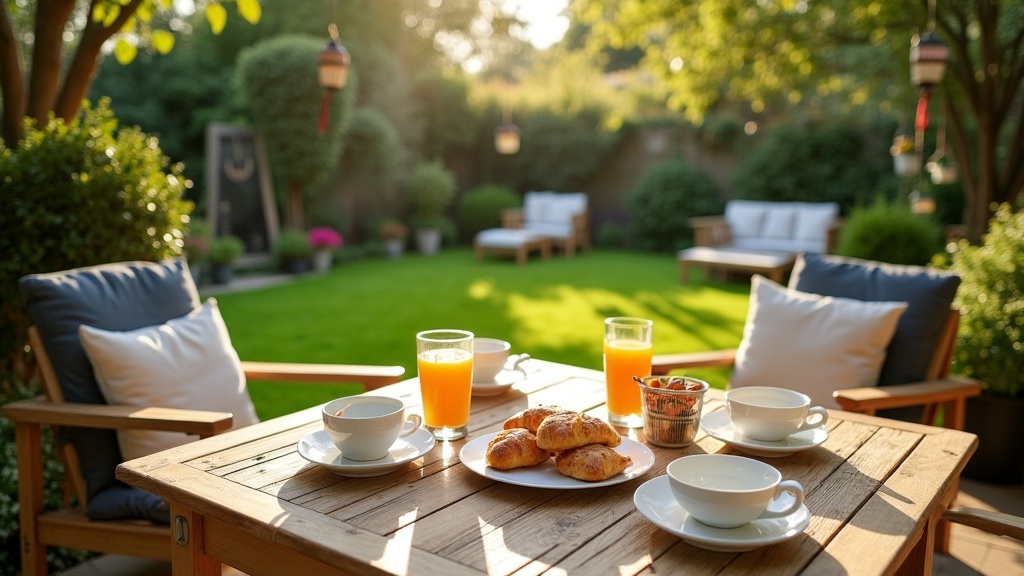
Position 4 — The lifestyle shot: A styled dining table set for breakfast. The living room configured for a cosy film night. The garden with outdoor seating. This photo sells the experience of staying, not just the physical space. It's the emotional trigger that moves you from "adequate" to "I can picture myself there."
Position 5 — Address the final hesitation: For budget properties, show the bathroom to prove it's clean and modern. For premium listings, reinforce luxury with a second living space or a detail shot (quality bedding, designer fixtures, period features). For suburban homes, show the exterior or street view to prove parking and neighbourhood appeal.
A Leeds host with a one-bed flat was leading with: living room, bedroom, kitchen, bathroom, building exterior. Bookings were sluggish despite excellent reviews. The reordered sequence: living room (bright, spacious), allocated parking space, ensuite bathroom, workspace by window, kitchen. Enquiries increased 47% in the first fortnight. Same photos. Different story.
Common Airbnb Photo Order Mistakes (And How to Fix Them)
Mistake 1: Burying Your Unique Selling Point After Photo 10
If you have private parking, a garden, a genuine view, or any amenity that's scarce in your area, it belongs in the first five photos. Yet countless hosts bury these game-changers halfway through the gallery where 60% of browsers never scroll.
Fix: Audit your amenities against local competitors. Whichever feature you have that most nearby listings don't should appear by position 3. Optimising your listing means leading with differentiation, not following a generic room-by-room template.
Mistake 2: Starting With Exterior Shots for Unremarkable Buildings
Your Victorian terrace or modern new-build block probably looks identical to fifty others in the area. Leading with a generic exterior wastes your most valuable photo slot on something that doesn't differentiate or excite.
Fix: Save exterior photos for position 6-8 (guests who've clicked through want to see the building for context, but it shouldn't be the hook). Exception: period properties with standout architecture, countryside cottages, or buildings with unique character features.
Mistake 3: Clustering All Bedroom Photos Together
Showing bedroom, bedroom close-up, bed detail, and wardrobe consecutively creates visual monotony. Guests disengage when consecutive photos feel repetitive, even if each individual shot is good.
Fix: Intersperse bedroom photos with different room types. Follow the bedroom with the kitchen or living area, then return to bedroom details later. Variety maintains engagement. This principle applies equally to bathroom clusters and kitchen detail sequences.
Mistake 4: Ignoring Mobile Preview
Over 70% of Airbnb searches happen on mobile devices, where photo thumbnails are significantly smaller and guests swipe through images rapidly. Details that look stunning on desktop (intricate tilework, subtle colour palettes, small amenities) disappear at mobile thumbnail size.
Fix: Prioritise wide shots with clear focal points over detail photos in the first five positions. Test your photo order by viewing your listing on a smartphone — if you can't instantly identify what each thumbnail shows, neither can potential guests. Reserve close-up detail shots for positions 6-15 where engaged browsers appreciate them.
The Optimal Photo Sequence by Property Type
One-Bedroom City Flats (Positions 1-8)
- Living room (widest angle, brightest shot)
- Bedroom (showing it's not tiny)
- Parking/transport amenity (if applicable) OR ensuite bathroom
- Kitchen (proving it's functional)
- Workspace/dining area
- Bathroom (if not shown earlier)
- Building exterior/entrance
- Local area/view
Family Homes & Larger Properties (Positions 1-8)
- Main living space (where family time happens)
- Kitchen (fully equipped, spacious)
- Master bedroom
- Garden/outdoor space
- Second bedroom (showing capacity)
- Family bathroom
- Dining area/second living space
- Exterior/street view
Coastal & Countryside Retreats (Positions 1-8)
- Exterior with setting/view (selling the dream)
- Living room with view OR period features
- View from property (terrace, window, garden)
- Bedroom (best room or master)
- Kitchen (proving comfort alongside character)
- Bathroom (modern facilities despite period setting)
- Outdoor seating/garden
- Contextual location shot
These are frameworks, not rigid rules. A two-bed Manchester flat with a stunning roof terrace should lead with that terrace if it's genuinely exceptional. Professional photo optimisation tailors the sequence to your specific selling points, not generic best practices.
How to Audit Your Current Airbnb Photo Order
Open your listing in an incognito browser window (logged-out view shows what guests actually see). Swipe through photos 1-5 and ask:
- Do I immediately understand what type of property this is? (City flat, family home, cottage, etc.)
- Have I seen the property's unique selling point by photo 3? (The thing competitors don't have)
- Would I keep scrolling or click away? (Brutal honesty required)
- Do any consecutive photos feel repetitive? (Same room, same angle, similar composition)
- Does photo 5 make me want to see photo 6? (Maintaining momentum through the full gallery)
Compare your first five photos to the top three competitors for your property type in your area. What are they leading with? If they're getting more bookings with objectively worse photos, sequencing is likely the culprit.
Not sure how your listing compares to local competition? Get your free Airbnb listing score and see exactly where your photos, pricing, and positioning stand against properties competing for the same guests.
Should You Show Bathrooms Early or Late in Your Photo Order?
Bathroom placement depends on whether your bathroom is a selling point or a reassurance check. If your bathroom is newly renovated, features rainfall showers, heated floors, or designer fixtures, it belongs in positions 3-5 as a differentiation asset. If it's clean and functional but unremarkable, position 6-8 is sufficient — guests need to see it, but it shouldn't take priority over unique amenities.
Budget and mid-range properties should prioritise bathroom photos earlier (position 4-5) because guests are actively screening out properties with outdated or poorly maintained facilities. Luxury properties can afford to show bathrooms later (position 6-8) because the assumption of quality is built into premium pricing and early photos.
The exception: ensuite bathrooms in one-bedroom properties are a significant selling point for couples and should appear by position 3. Guests specifically filter for ensuites, and confirming this feature early prevents them scrolling to competitors.
For detailed guidance on photographing bathrooms to maximise appeal, see our guide to showcasing bathroom cleanliness and modern features.
The Role of Lifestyle Photos vs Room Documentation
Hosts often upload 25 photos that methodically document every room and surface. Every wall angle. Every cupboard. Every appliance. These photos prove the property exists but fail to sell the experience of staying there.
Documentation photos answer: "What does this room look like?" They're necessary but emotionally flat. A plain bedroom shot. An empty kitchen. An unset dining table.
Lifestyle photos answer: "What will my stay feel like?" They're experiential and aspirational. The dining table set for breakfast with morning light streaming through windows. The sofa arranged with throws and cushions, book on the side table, suggesting a cosy evening. The outdoor seating area with wine glasses, hinting at summer evenings.
Your first five photos should lean heavily toward lifestyle imagery (70-80%). Positions 6-15 can include documentation shots for guests who've already decided they're interested and want comprehensive room details. Leading with documentation is like starting a first date by listing your qualifications — technically informative, emotionally inert.
A Bristol host photographed their garden twice: once empty (documentation) and once with the table set, lanterns lit, and cushions arranged (lifestyle). The lifestyle shot became position 4. Bookings from families increased noticeably — the staged garden communicated "this is where your children will play" and "this is where you'll have dinner" more effectively than an empty lawn ever could.
When to Reorder Your Airbnb Photos (And How Often)
Photo order isn't a one-time optimisation. Guest preferences shift seasonally, competitor offerings change, and your property's positioning may evolve. Consider reordering when:
Your booking rate drops without obvious cause: Competitors may have updated their listings with stronger photo sequences, making your once-effective order feel stale by comparison.
You add or upgrade amenities: Installed air conditioning? Renovated the bathroom? Added parking? These new features should immediately move to positions 2-4, not languish at the end of the gallery.
Seasonal shifts occur: A garden or outdoor space should move higher in spring/summer when it's a primary selling point, then drop to mid-gallery in winter when guests prioritise cosy interiors and heating.
Guest questions reveal confusion: If multiple guests ask about something you've photographed but buried at position 18, it belongs in the first eight photos. Your photo order should pre-emptively answer the questions guests consistently ask.
Reviews mention unexpected features: When reviews repeatedly praise something you haven't prominently photographed ("the workspace was perfect for remote work"), that feature deserves higher placement.
Aim to audit photo order quarterly at minimum. High-performing hosts review monthly, adjusting positioning based on which photos correlate with booking surges. Airbnb doesn't penalise photo reordering, so there's no risk in testing different sequences.
Tools and Techniques for Choosing the Right Photo Sequence
Reordering photos in Airbnb's dashboard is straightforward (drag and drop in the Photos section), but choosing the optimal order requires strategy, not instinct.
The competitor comparison method: Screenshot the first five photos from your three highest-booked local competitors. Lay them out alongside your current first five. What are they leading with that you're not? Where are they burying weakness whilst you're leading with it? Adjust accordingly.
The five-second test: Show your current photo order to someone unfamiliar with your property. Give them five seconds to scroll through the first eight images, then ask: "What type of property is this? What's special about it? Would you book it?" Their answers reveal whether your visual story is landing.
The filter match technique: Review the guest filters most relevant to your property (parking, workspace, kitchen, garden). Do photos proving you have these features appear in the first five shots? Guests filtering search results need immediate visual confirmation you meet their requirements.
Professional analysis: LetGrow's photo analysis evaluates your current photo order against your property type, local competition, and target guest profile, then recommends the optimal sequence with specific reasoning for each positioning decision. It's the quickest way to identify whether your photo order is costing you bookings.
Quality vs Quantity: How Many Airbnb Photos Do You Actually Need?
Airbnb allows up to 100 photos, but optimal gallery size is 20-35 photos for most properties. Too few and guests worry you're hiding problems. Too many and you dilute impact with repetitive or low-value images.
The ideal breakdown:
- 5-8 photos: Main living spaces (living room, kitchen, primary bedroom from multiple angles showing size and light)
- 3-5 photos: Bathrooms (overview, shower/bath detail, sink area if particularly nice)
- 2-4 photos: Additional bedrooms (overview plus detail if beds/layout need clarification)
- 2-4 photos: Outdoor spaces (garden, terrace, balcony, parking)
- 2-3 photos: Unique amenities (workspace, gym equipment, special features)
- 1-3 photos: Building exterior, entrance, local area context
- 2-5 photos: Lifestyle/detail shots (styled spaces, quality close-ups, experiential images)
A three-bedroom house might need 30-35 photos to comprehensively show all spaces. A studio flat only needs 18-22. More isn't better if you're padding the gallery with near-duplicate angles or irrelevant detail shots.
For a detailed comparison of how many photos you actually need versus how many you should have, read our analysis of quality versus quantity in Airbnb photography.
Smartphone Photos vs Professional: Does It Affect Optimal Ordering?
Photo order strategy remains identical whether you've used a professional photographer or shot everything on your smartphone. Sequencing principles don't change based on equipment — lead with impact, solve concerns early, differentiate by position three.
That said, smartphone photos require extra attention to the first five positions because quality inconsistencies become more apparent in the critical hover sequence. If some of your smartphone shots are weaker than others (lighting issues, composition problems, distortion), keep them out of the first eight positions where they'll damage first impressions.
Professional photos tend to be uniformly high quality, giving you more flexibility in sequencing. Smartphone galleries need stricter curation — your best eight smartphone photos should occupy positions 1-8, with serviceable-but-imperfect shots relegated to the back half of the gallery.
If you're shooting with a smartphone and unsure whether your photos are strong enough to lead your listing, our smartphone versus professional photography comparison shows exactly what quality benchmarks matter for conversion.
Frequently Asked Questions
How often should I change my Airbnb photo order?
Review your photo order quarterly at minimum, or immediately after adding new amenities, completing renovations, or noticing a booking rate decline. High-performing hosts adjust seasonally — moving outdoor space photos higher in summer and cosy interior shots to the front in winter. There's no penalty for reordering, so test different sequences if performance stagnates.
Should my cover photo be horizontal or vertical?
Horizontal (landscape) photos work best as cover images because Airbnb's search results display listings in a landscape format on desktop and mobile. Vertical photos get cropped awkwardly in search thumbnails, potentially cutting off important features. Save vertical shots for detail photos later in the gallery where they display in full.
Do I need to show every room in the first 10 photos?
No. Your first 10 photos should prioritise selling points and differentiation, not comprehensive documentation. If you have three identical bedrooms, show the best one early and document the others later. Guests who click through will scroll the full gallery — your job in the first 10 is to make them want to keep looking, not to exhaustively catalogue every space.
Can I use the same photo order as successful competitors?
Copying successful competitors' photo sequencing strategy is smart — if top-booked local listings consistently lead with parking or outdoor space, that reveals what your shared guest demographic values. But don't copy their exact room-by-room order if your property has different strengths. Use competitor research to understand what works in your market, then adapt the strategy to showcase your unique features.
Should I show flaws or problem areas in my photo order?
Yes, but strategically positioned. If your property has an unavoidable flaw (compact bathroom, small bedroom, no view), photograph it honestly but place it in positions 8-12, after you've established value with your strengths. Hiding flaws entirely leads to disappointed guests, negative reviews, and cancellations. Showing them late in the sequence allows interested guests to make informed decisions whilst not leading with weakness.
Does photo order affect Airbnb search ranking?
Indirectly, yes. Photo order affects click-through rate (how many searchers click your listing) and conversion rate (how many visitors book). Airbnb's algorithm rewards listings with strong engagement metrics, so optimised photo sequencing that increases clicks and bookings will gradually improve your search ranking. The effect is measurable over weeks, not overnight.
Conclusion
Your Airbnb listing photos aren't just a gallery — they're a strategic sales sequence. The difference between a listing that converts at 2% and one that converts at 8% often isn't photo quality. It's whether you've answered the guest's three unspoken questions (Is this nice? Does it have what I need? Can I picture myself here?) in the first five seconds of scrolling.
Lead with impact. Solve concerns early. Differentiate by position three. Bury documentation after lifestyle. Test, measure, adjust. The hosts getting booked aren't the ones with the best cameras — they're the ones who understand that visual storytelling beats visual inventory every single time.
Ready to see how your current photo order measures up? Get your free Airbnb listing score from LetGrow and discover exactly which photos should lead your gallery — and which are quietly costing you bookings.