Why Your Airbnb Listing Isn't Getting Bookings — The Real Problem Nobody Talks About
You've dropped your price twice this month. Your calendar's still mostly red. Meanwhile, the listing two doors down — with worse photos and a kitchen half the size of yours — is booked solid. Here's the uncomfortable truth: a low-performing Airbnb listing rarely has one obvious problem. It's usually a cluster of small issues quietly killing your visibility, click-through rate, and conversion — and most hosts never spot them because they're looking in the wrong places.
A proper Airbnb turnaround strategy for low-performing listings isn't about slashing your nightly rate or buying new bedding. It's about diagnosing where your listing is bleeding bookings, then fixing those leaks systematically. This guide walks you through the exact process: how to audit your listing like a professional, prioritise the changes that actually move the needle, and implement a step-by-step rescue plan that gets results within 7-14 days.
Step 1: Diagnose Your Listing's Real Problem (Not the One You Think It Has)
Before you change a single thing, you need to understand where your listing is failing. Most hosts assume it's the price or the photos, but Airbnb's algorithm rewards listings across seven distinct signals — and if you're weak in the wrong area, no amount of price-cutting will save you.
Run a full performance audit across these five areas:
- Visibility: Are you even appearing in search results? Check your listing's search ranking for your neighbourhood + common guest filters (dates, guest count, price range). If you're on page 3 or invisible, the problem is algorithmic — not your listing content.
- Click-through rate: Your listing is appearing, but nobody's clicking. This points to weak title, unappealing hero photo, or poor star rating display.
- Conversion rate: People click, scroll, then leave. Your photos, description, amenities list, reviews, or price aren't convincing them to book.
- Booking rate vs. competitors: You're getting enquiries but losing them to other listings. Your response time, pricing strategy, or instant book settings are the issue.
- Review quality and velocity: Low rating (below 4.7) or very few reviews. Airbnb buries you in search; guests don't trust you enough to book.
If you'd like an expert assessment of your listing with specific suggestions to improve, LetGrow's free listing score shows you exactly where you stand across visibility, pricing, photos, and SEO — with a detailed breakdown of what's holding you back.
The 'Listing Health Check' Worksheet
Open your Airbnb Insights dashboard and note down:
- Your listing views over the last 30 days
- Your click-through rate (views ÷ search appearances)
- Your booking conversion rate (bookings ÷ views)
- Your average star rating and total review count
- Your response rate and response time
Now compare these to Airbnb's benchmarks for Superhost status: 90%+ response rate, sub-24-hour response time, 4.8+ stars, less than 1% cancellation rate. Any metric below par is a red flag. Your turnaround strategy should prioritise the weakest link first — because that's what's throttling your bookings.
Step 2: Fix the Instant Wins (The Changes That Take 30 Minutes and Double Your Visibility)
Once you know where the problem is, start with the fastest, highest-impact fixes. These are the changes that cost nothing, take under an hour, and can pull your listing out of algorithmic obscurity within 48 hours.
Rewrite Your Title to Include High-Intent Keywords
Your title is the single most important piece of SEO real estate on your listing. Airbnb's search algorithm scans it first, and 80% of guests decide whether to click based on the title alone. Yet most hosts waste it on vague phrases like 'Lovely 2-Bed Flat in London' that describe nothing and rank for nothing.
What to do: Rebuild your title around the exact phrases guests search for: property type + standout feature + location + guest benefit. For example:
'Modern 2-Bed Flat • Parking & Garden • 10min to City Centre'
This version tells the algorithm (and the guest) what you are, what you offer, and why you're convenient. It ranks for 'parking', 'garden', '2-bed', and 'city centre' — four high-intent searches your old title ignored. For a deep dive into how title structure affects click-through rate, see our guide on Airbnb title mistakes that kill your CTR.
Enable Instant Book (Yes, Really)
Instant Book listings get a 30-50% visibility boost in Airbnb's search algorithm. Hosts resist it because they fear bad guests or lost control, but the data is clear: Instant Book listings earn more, rank higher, and convert better. Airbnb's own research shows IB hosts see 3x more bookings than request-only listings in competitive markets.
Protect yourself: Set strict guest requirements (government ID, positive reviews from other hosts, no negative reviews). Airbnb lets you decline or cancel penalty-free if a guest doesn't meet your standards. The algorithm rewards trust, and Instant Book is the clearest signal you can send.
Switch On 'Flexible' or 'Moderate' Cancellation Policy
Strict cancellation policies filter you out of thousands of searches. Many guests sort by 'flexible cancellation' or avoid strict listings entirely because they're booking months ahead and need wiggle room. A study by AirDNA found that flexible listings receive 20-25% more enquiries than strict equivalents, even at the same price.
If you're worried about last-minute cancellations eating your revenue, set a moderate policy instead — guests can cancel up to 5 days before check-in. You keep security, but you don't scare off the bookers.
Add the 'Missing Amenity' That's Costing You Filtered Searches
Airbnb's filter system is binary: you either have the amenity or you don't. If a guest filters by 'coffee maker' and you don't have it ticked, you're invisible — even if you have a £300 bean-to-cup machine sitting on your counter. The most commonly missed amenities that guests actually filter by:
- Coffee maker (a £10-20 cafetière counts — you don't need an expensive machine)
- Hairdryer
- Iron
- Free parking on premises (if you have it, say so)
- Washer (if you allow guest access, tick it)
- TV (even a small one in the bedroom counts)
Go through your amenities list and tick every single thing you actually provide. If you're missing one of the big six above and can add it for under £50, do it today. The ROI is instant: you appear in more searches, your listing looks more complete, and guests perceive higher value.
Step 3: The Airbnb Turnaround Strategy for Low-Performing Listings — Your 7-Day Rescue Plan
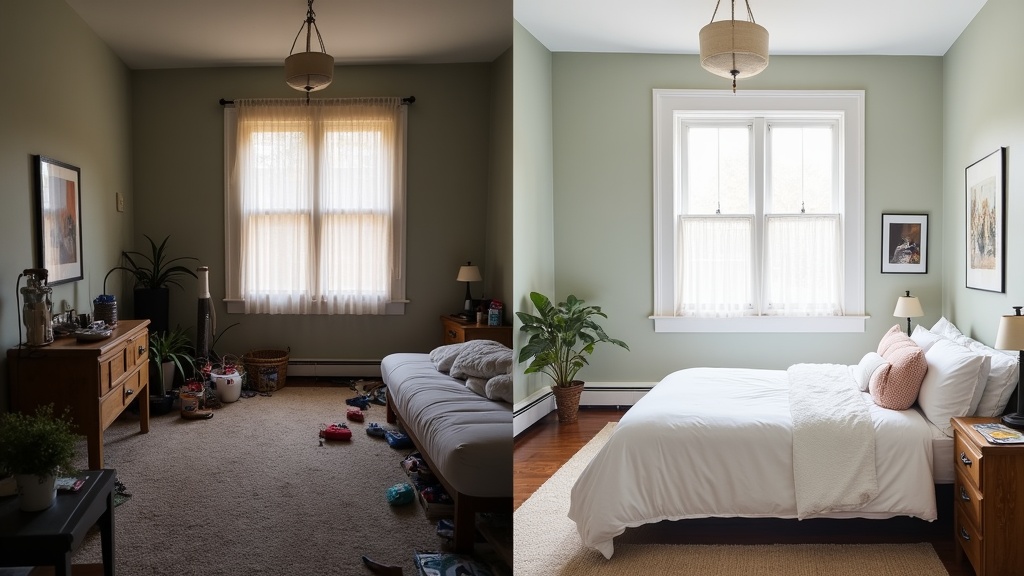
Now that the quick wins are live, it's time for the deeper fixes. This is your week-by-week roadmap to pull a struggling listing back from the edge and turn it into a consistently booked performer. Each day tackles one high-leverage area. Stick to the schedule, and you'll see measurable improvement in search rank and booking velocity within 14 days.
Day 1: Audit and Replace Your Hero Photo
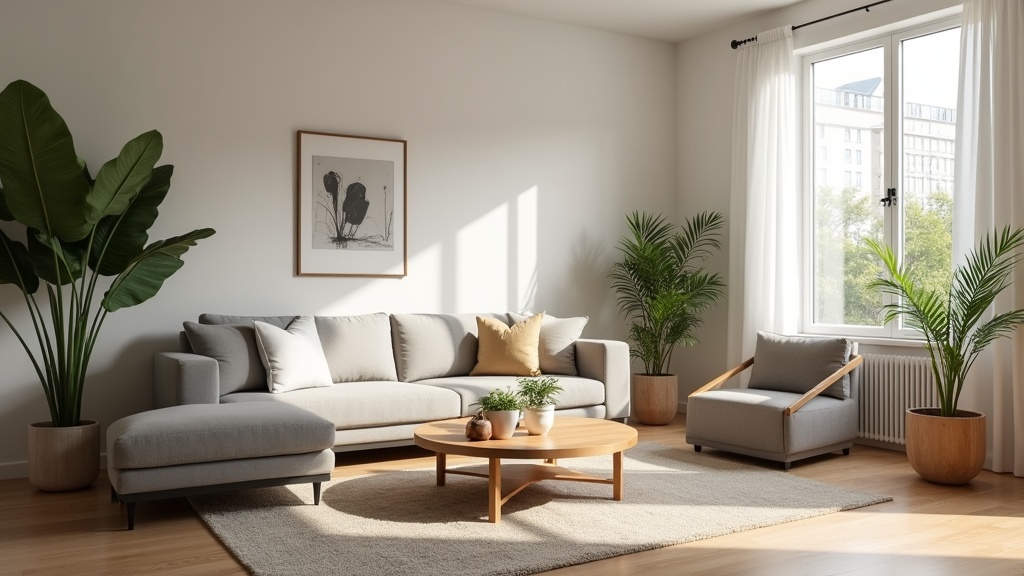
Your hero photo is responsible for 60-70% of your click-through rate. If it's dark, cluttered, or doesn't immediately communicate 'this is a desirable space,' you've already lost the booking. The best hero photos show your widest, brightest, most aspirational space — usually the living room or an open-plan kitchen-living area — shot in natural daylight, with no people, clutter, or harsh shadows.
Compare your hero image to the top three listings in your area. If yours looks dimmer, smaller, or less inviting, reshoot it. Use a wide-angle lens (or your phone's 0.5x mode), shoot in the afternoon when natural light floods the room, and tidy ruthlessly. A single great photo can lift your CTR by 40%.
Day 2-3: Rewrite Your Description Using the AIDA Framework
Most Airbnb descriptions are long, bland, and bury the best bits at the bottom. Guests skim. If your first two sentences don't grab them, they've moved on. Structure your rewrite using AIDA: Attention, Interest, Desire, Action.
Attention: Open with your single biggest selling point. 'Unwind in this light-filled Victorian terrace with a private garden, just 15 minutes from Manchester Piccadilly.' Not 'Welcome to my lovely home.'
Interest: Follow with 2-3 sentences that paint a sensory picture: what the guest will see, feel, and experience. 'Step through the original sash windows into a spacious lounge with Farrow & Ball walls and a wood burner for cosy evenings.'
Desire: List your standout amenities and guest benefits in bullet points. Make it scannable. Include distances to key landmarks, transport links, and local highlights.
Action: Close with a soft CTA: 'Book now for your Manchester escape.'
For more on how Airbnb's algorithm rewards certain description structures and keyword placement, see our full guide to Airbnb listing optimisation for UK hosts.
Day 4: Reorder Your Photo Gallery to Lead with Lifestyle, Not Logistics
Most hosts arrange photos in 'tour order': bedroom, bathroom, kitchen, then outdoor space. But Airbnb's internal data shows the first five photos drive 80% of booking decisions. Guests scroll fast; if they don't see something aspirational in the first few swipes, they leave.
Recommended order:
- Hero shot (widest, brightest living space)
- Outdoor space (garden, balcony, terrace — if you have one)
- Kitchen (if modern and photogenic)
- Master bedroom
- Bathroom (if stylish)
- Detail shots (coffee setup, cosy reading nook, view from window)
- Remaining bedrooms and utility spaces
Lead with emotion and experience. Logistics (bathroom, laundry) come later. Guests book on feeling, then justify with facts.
Day 5: Run a Competitor Pricing Audit and Adjust Your Nightly Rate
If your listing isn't converting, pricing is often the silent killer. But 'lowering your price' isn't a strategy — it's a guess. You need to know where you sit relative to comparable listings in your area, and whether your rate aligns with your quality signals (photos, reviews, amenities).
How to audit: Search Airbnb as a guest for your location, dates 4-6 weeks out, and your property type. Filter by 'Entire Place' and your bedroom count. Open the top 10 results and note their nightly rate, star rating, review count, and Superhost status.
If your rate is higher than listings with better reviews and photos, you're overpriced. If you're cheaper than lower-quality listings, you're either underpriced or sending weak quality signals elsewhere (title, photos, reviews). Not sure how you compare? Get your free Airbnb performance score and see how your listing stacks up against local competitors with a detailed pricing and positioning analysis.
Day 6: Chase and Respond to Recent Reviews (Especially the 4-Stars)
Review recency and host responsiveness are both algorithmic ranking factors. If your last review is six weeks old and you haven't replied to any of them, Airbnb assumes you're inactive and demotes your listing. Worse, unanswered 4-star reviews signal to future guests that you don't care about feedback.
Action steps:
- Reply to every review from the last 60 days, especially critical ones. Keep it gracious, concise, and solution-focused.
- If you have recent guests who haven't left a review, send a polite follow-up message. Airbnb allows this within 14 days of checkout.
- Use our review management guide to learn how to turn 4-star feedback into 5-star improvements.
Every new 5-star review lifts your overall rating and tells the algorithm you're actively hosting. Velocity matters: listings with 3+ reviews in the last 30 days rank higher than stale profiles.
Day 7: Update Your Availability Calendar and Remove Gaps
Airbnb's algorithm penalises listings with scattered availability. If your calendar shows random blocked nights with single-night gaps in between, the algorithm assumes you're unreliable or using another platform as your priority. Guests also perceive gappy calendars as a red flag — 'why isn't anyone booking this place?'
What to do: Open up your calendar for the next 90 days. Remove random blocks unless they're confirmed bookings. If you need a night off, block a full week so it looks intentional, not chaotic. Aim for at least 60% availability over the next three months — Airbnb rewards listings that signal they're open for business.
What to Do If Your Listing Turnaround Strategy Still Isn't Working
You've followed the 7-day plan. Your photos are better, your title is optimised, you've enabled Instant Book and dropped your price by 10%. But bookings still aren't coming. This usually means one of three things:
1. Your Star Rating Is Below the 'Trust Threshold' (4.7)
Airbnb's algorithm heavily discounts listings below 4.7 stars. Even if everything else is perfect, poor reviews will bury you on page 3. If this is you, your only option is to earn 5-star reviews consistently for the next 10-15 bookings to pull your average back up. Lower your price temporarily to attract bookings, over-deliver on experience, and actively request reviews. It's a slow rebuild, but there's no shortcut.
2. You're in an Oversaturated Market with Too Many Identical Listings
In some UK cities — Edinburgh in August, Cornwall in summer, London year-round — there are simply more listings than guests. If every other property on your street offers the same layout, amenities, and price, the algorithm defaults to rewarding the listings with the strongest signals: more reviews, faster response time, Superhost status, Instant Book. If you're new or lack social proof, you're invisible.
The fix: Differentiate. Add an amenity nobody else has (dedicated workspace, electric car charger, premium coffee setup, welcome hamper). Rewrite your title and description to target a niche (business travellers, families, pet owners, remote workers). Focus on a specific guest avatar and optimise everything — photos, amenities, description, house rules — for that person. A highly targeted listing beats a generic one every time.
3. Your Listing Photos Are Still the Weakest Link
Even after a DIY reshoot, your photos might not be good enough. Professional real estate photography isn't just about owning a wide-angle lens — it's about lighting, composition, styling, and post-production. If your images still look amateur compared to your competitors, you're losing 70% of potential bookings at the click stage.
Consider hiring a professional property photographer (£150-300 for a full shoot). The ROI is typically 3-5x within the first month. Alternatively, study the top listings in your area, reverse-engineer their photo style, and reshoot with those benchmarks in mind.
The Signals Airbnb Actually Rewards — And How to Optimise for Them
Understanding how Airbnb's algorithm decides which listings to show is the foundation of any successful turnaround strategy. The platform doesn't randomly shuffle results — it ranks you based on a weighted formula that prioritises guest satisfaction and booking likelihood. If you want to fix a low-performing listing, you need to improve the signals Airbnb actually cares about.
The seven core ranking factors are:
- Booking conversion rate: How often people who view your listing go on to book it
- Guest reviews and ratings: Overall star score, review recency, and keyword sentiment
- Host responsiveness: Response rate and speed (sub-1-hour replies rank highest)
- Listing completeness: Photos, description length, amenity count, house rules
- Search relevance: How well your title and description match guest search terms
- Pricing competitiveness: Are you priced within 10-15% of similar listings?
- Booking activity: Recent bookings and calendar availability signal demand
For a detailed breakdown of each signal and how to optimise for it, see our guide on how to improve your Airbnb ranking with the seven factors Airbnb actually rewards in 2026.
Common Mistakes That Make a Low-Performing Listing Even Worse
When hosts panic about poor performance, they often make reactive changes that backfire. Here are the four mistakes that dig the hole deeper:
Slashing Your Price Below Market Rate
Dropping your nightly rate by 30% might get you a booking, but it also signals to the algorithm (and to guests) that your listing isn't worth full price. Airbnb's algorithm interprets sustained low pricing as low quality, and future guests assume something's wrong. You end up in a race to the bottom, earning less per booking and attracting guests with higher expectations than your price justifies.
The smarter move: Price within 5-10% of comparable listings, then compete on value — better photos, faster responses, more amenities, stronger reviews. If you must discount, use Airbnb's 'Weekly Discount' or 'Last-Minute Discount' features instead of lowering your base rate. These are algorithmic signals that you're flexible, not desperate.
Over-Editing Your Listing and Confusing the Algorithm
Changing your title, description, and photos every few days in a desperate attempt to 'fix' things can actually hurt your ranking. Airbnb's algorithm needs time (7-14 days) to assess how changes affect your click-through and conversion rates. If you keep changing variables, the algorithm can't learn what's working, and you reset your ranking momentum each time.
The rule: Make one set of strategic changes (photos, title, amenities, pricing) then leave it alone for two weeks. Measure your Insights data before and after. Only iterate once you have evidence of what moved the needle.
Ignoring Negative Reviews Instead of Fixing the Root Cause
A 4-star review that mentions 'the flat was cold' or 'check-in was confusing' isn't just a one-off complaint — it's a pattern waiting to repeat. If you don't address it, the next guest will say the same thing, your rating drops further, and the algorithm buries you deeper. Every unresolved issue is a future booking killer.
The fix: Treat every piece of critical feedback as a diagnostic report. Add an extra heater, rewrite your check-in instructions with photos, replace the lumpy mattress. Then mention the improvement in your reply to the review so future guests see you took action.
Comparing Your Listing to the Wrong Competitors
Hosts often benchmark against the fanciest listings in their area ('Why is that £200/night penthouse always booked?') without realising they're in a completely different market segment. You're not competing with every listing in your postcode — you're competing with properties of the same type, size, and price range. A £75/night 1-bed flat isn't losing bookings to a £180/night 3-bed townhouse; it's losing to the other £70-80 flats two streets away.
The fix: Run your competitor audit with filters that mirror your listing: same property type, bedroom count, and price range (±15%). Those are your real rivals. Study what they're doing better, then copy and improve.
How to Track Whether Your Airbnb Turnaround Strategy Is Actually Working
You've made the changes. Now you need to know if they're working — or if you're still bleeding bookings. Airbnb's Insights dashboard gives you the data, but most hosts don't know which metrics actually matter. Here's what to track weekly:
- Search appearances: How often you show up in search results (should increase after SEO fixes)
- Listing views: How many guests clicked on your listing (driven by title and hero photo)
- Click-through rate (CTR): Views ÷ appearances. Benchmark: 8-12% is healthy, below 5% means your title/photo needs work
- Booking conversion rate: Bookings ÷ views. Benchmark: 1-3% is typical; below 1% signals weak listing content or poor pricing
- Contact rate: Enquiries or booking requests ÷ views. High contact rate but low bookings? You're losing guests to competitors during the conversation phase (slow response time, unclear answers)
Compare your 'before' and 'after' numbers over 14-day windows. If CTR improves but conversion doesn't, your title and photo are working but your listing content isn't. If conversion improves but bookings don't, you need more visibility — focus on pricing, Instant Book, or amenity additions to lift your search rank.
Want a professional eye on your listing to see what's holding you back? LetGrow analyses your title, photos, pricing, and amenities for free — no obligation, just actionable insights into where your listing is losing bookings and how to fix it.
Real-World Turnaround Example: How One Host Went from 12% to 78% Occupancy in 6 Weeks
Sarah, a host in Bristol, had a 2-bed flat near Temple Meads that sat empty 88% of the time. Her listing had been live for eight months, she'd had six bookings, and her calendar was a sea of red. She'd already dropped her price twice and was considering whether to give up on Airbnb altogether.
The diagnosis: Her title was generic ('Cosy 2-Bedroom Flat in Bristol'), her hero photo was a dimly lit bedroom (not the bright living room), she had Instant Book turned off, and her description buried the key selling point — free on-site parking — in the final paragraph. Her star rating was 4.9 (good), so reviews weren't the issue. She was simply invisible in search and unappealing to the few guests who found her.
The turnaround plan:
- Rewrote her title to: 'Modern 2-Bed Flat • Free Parking • 5min Walk to Temple Meads'
- Swapped her hero photo to a wide-angle daylight shot of the living room
- Reordered her gallery: living room, kitchen, parking space, bedroom, bathroom
- Enabled Instant Book with strict guest requirements
- Added 'coffee maker' and 'iron' to her amenities (both were in the flat but not listed)
- Adjusted her weeknight rate from £68 to £74 (aligned with competitors) and added a 15% weekly discount
The result: Within two weeks, her search appearances doubled. Her CTR went from 4% to 11%. She had three bookings in week three, four in week four. By week six, her occupancy had climbed to 78%, and her revenue per month had tripled — at a higher nightly rate than before. The listing hadn't changed physically. The signals had.
When to Pivot: If Your Listing Genuinely Can't Compete in Its Current Market
Sometimes, the brutal truth is that your listing isn't viable in its current form. If you've followed every step in this guide, waited 30 days, and you're still getting fewer than 10 views per week, the problem isn't optimisation — it's market fit. Your listing might be:
- In an over-saturated area with 500+ identical properties
- Priced too high for the quality signals you can realistically achieve (poor location, no parking, low-quality furnishings)
- Lacking a core amenity that's table stakes in your market (e.g. no parking in a car-dependent suburb, no workspace in a business district)
- Competing in a seasonal market outside of peak season with no off-season USP
If this is you, consider:
- Pivoting to mid-term rentals: Target 28+ day stays on Airbnb or platforms like SpareRoom, OpenRent. Less competition, more stable income.
- Specialising in a niche: Pet-friendly, accessible, remote worker-focused, family-only. Narrow your target, own that segment.
- Partnering with local businesses: Hospital accommodation for visiting families, contractor lodging, festival/event-based bookings.
- Improving the physical property: If your listing is genuinely below market standard (dated decor, poor condition), cosmetic improvements (paint, new bedding, better lighting) will deliver better ROI than endless SEO tweaks.
For more strategic advice on positioning and niche targeting, see our 11 Airbnb listing tips UK hosts wish they'd known sooner.
Quick Wins You Can Implement in the Next 24 Hours
If you've read this far and want to take action today, here's your shortlist of the fastest, highest-impact changes you can make right now — each takes under 30 minutes and costs nothing:
- Enable Instant Book with strict guest filters (government ID, positive reviews)
- Rewrite your title to include property type + standout amenity + location proximity
- Swap your hero photo to your brightest, widest living space
- Add a coffee maker, hairdryer, and iron to your amenities list (if you have them)
- Reply to all unanswered reviews from the last 60 days
- Open your calendar for the next 90 days and remove scattered gaps
- Switch to 'Flexible' or 'Moderate' cancellation policy
For a complete checklist of 24-hour optimisation wins, see our guide to Airbnb listing optimisation quick wins you can implement within 24 hours.
Frequently Asked Questions
How long does it take to turn around a low-performing Airbnb listing?
Most listings see measurable improvements in search visibility and click-through rate within 7-14 days of implementing strategic changes (title rewrite, photo reorder, Instant Book, amenity additions). Booking velocity typically increases within 3-4 weeks. If you're starting from a low star rating (below 4.7), a full turnaround can take 2-3 months as you rebuild review quality and algorithmic trust.
Should I lower my price to fix a low-performing listing?
Only if your audit shows you're genuinely overpriced relative to comparable listings in your area (same bedroom count, similar quality, similar amenities). Slashing your rate without fixing weak photos, poor SEO, or missing amenities won't solve the root problem — you'll just earn less per booking. Price competitively (within 10-15% of rivals), but compete on value, not desperation discounts.
What's the single most important change to fix a struggling Airbnb listing?
It depends on where your listing is failing, but the highest-leverage fix for most low performers is rewriting the title and swapping the hero photo. These two elements control 70-80% of your click-through rate. If guests aren't clicking on your listing in search results, nothing else matters — they'll never see your great amenities or read your description.
Can a listing with bad reviews recover its ranking?
Yes, but it's a slow rebuild. Airbnb's algorithm weighs recent reviews more heavily than old ones, so a string of 5-star reviews over 10-15 bookings can pull your overall rating back above 4.7 (the 'trust threshold'). Lower your price temporarily to attract bookings, over-deliver on guest experience, respond quickly, and actively request reviews. Avoid cancellations or new complaints at all costs during the recovery phase.
Is it worth hiring a professional photographer for an underperforming listing?
If your DIY photos are dim, cluttered, or don't showcase your space well compared to competitors, professional photography typically delivers 3-5x ROI within the first month. Better photos lift click-through rate by 30-60%, which directly increases bookings. Expect to pay £150-300 for a full property shoot. It's one of the highest-impact investments you can make if photos are your weak link.
How do I know if my listing is being penalised by Airbnb's algorithm?
Check your Insights dashboard for 'search appearances.' If this number is very low (fewer than 50 per week in a busy market), you're likely being deprioritised due to: low star rating (below 4.7), poor response rate/time, lack of Instant Book, incomplete listing, or weak booking conversion history. Fix the weakest signal first — usually Instant Book, response time, or review quality — and monitor whether search appearances increase over 14 days.
Final Thoughts: Fixing a Low-Performing Listing Isn't About Luck — It's About Signals
The difference between a listing that sits empty and one that's booked 25 nights a month isn't luck, location, or even price. It's signals. Airbnb's algorithm ranks you based on how strongly you signal quality, relevance, and booking likelihood. Every weak title, slow response, missing amenity, or poor photo is a signal that you're not worth showing to guests. Every fix — a rewritten title, a better hero image, Instant Book enabled, a 5-star review — is a signal that you are.
The turnaround process isn't complicated, but it is systematic. Diagnose where you're weak, prioritise the highest-leverage fixes, implement them methodically, and give the algorithm 14 days to respond. Most hosts never do this — they guess, panic, and make random changes that cancel each other out. If you follow the 7-day rescue plan in this guide, you'll be in the top 20% of listings in your market within a month.
Ready to see how your listing measures up? Get your free Airbnb performance score at LetGrow and discover exactly where you're losing bookings — and how to fix it.