
You've spent hours agonising over your nightly rate — too high and the bookings dry up, too low and you're leaving hundreds of pounds on the table each month. The truth? Most UK hosts are flying blind, pricing by gut feel or copying the flat next door without understanding whether that listing is actually making money.
Here's the framework that removes the guesswork and gives you a pricing strategy grounded in data, market position, and what guests are actually willing to pay. No more second-guessing, no more panic-adjusting your rate every time a competitor updates theirs.
Why Most Airbnb Hosts Get Pricing Wrong (And What It's Costing You)
The average UK host changes their nightly rate fewer than three times per year. They set a 'safe' mid-range price, hope for the best, and wonder why their calendar has gaps whilst similar listings nearby stay fully booked.
The core mistake: treating your Airbnb listing like a static product with a fixed price. A Tuesday night in February has a completely different value to a Saturday in August, yet many hosts charge the same rate year-round. This rigid approach costs you in two ways:
- Revenue loss during high demand: You fill your calendar at £80/night when guests would happily pay £140 for that weekend.
- Occupancy loss during low demand: You sit empty at £80/night when dropping to £60 would secure bookings that cover your fixed costs and improve your search ranking.
The solution isn't a single 'perfect' nightly rate — it's a dynamic framework that adjusts based on demand signals, seasonality, competitor movement, and your own occupancy targets. If you're ready to see exactly where your current pricing sits in your local market, LetGrow's free listing score benchmarks your rate against comparable properties and highlights immediate opportunities to boost revenue.
How to Price Your Airbnb Listing: The 4-Step Framework
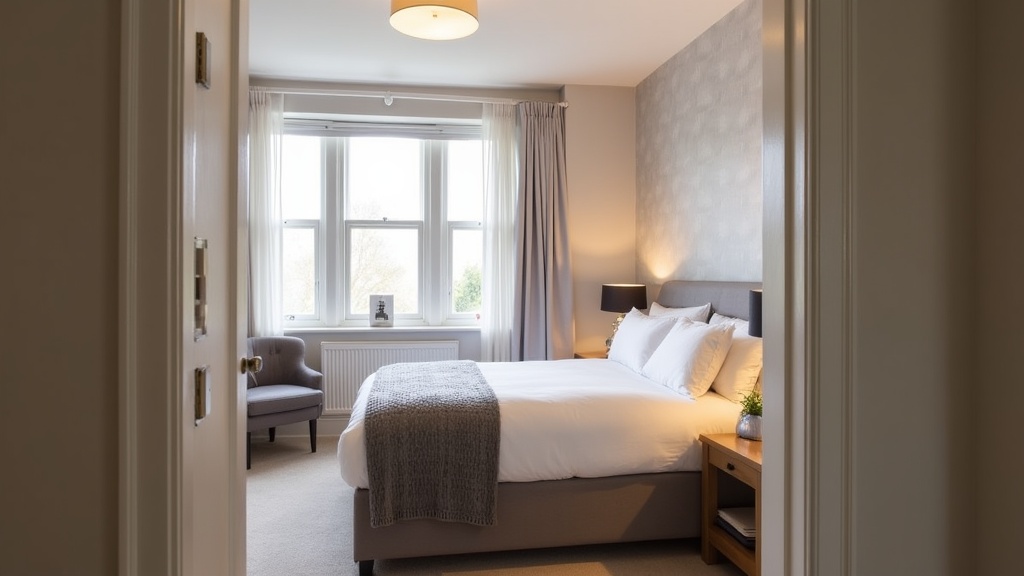
This framework gives you a defendable, market-informed base rate and a set of rules for adjusting it throughout the year. It takes about 90 minutes to set up properly, then requires minimal ongoing tweaking once your pricing engine is running.
Step 1: Find Your Market Position (The Comp Set Analysis)
Your base rate isn't plucked from thin air — it's anchored to where you sit in your local competitive set. Start by identifying 8-12 comparable listings within a 1-mile radius that match your property type, bedroom count, and guest capacity.
Filter for like-for-like comparisons: A newly refurbished two-bed flat with parking and a balcony should not benchmark against a dated studio with no outdoor space. Look for listings that share your key selling points (modern kitchen, dedicated workspace, proximity to transport, parking availability).
For each comp, note their current weeknight and weekend rates, review count, average rating, and Superhost status. Then position yourself honestly:
- Premium tier (top 20%): Exceptional photos, 4.9+ rating, 50+ reviews, standout amenity (e.g. parking in central London, private garden, designer interior). Price at the upper end of your comp set.
- Mid-tier (middle 60%): Solid listing, good photos, 4.7-4.9 rating, standard amenities. Price at the median of your comp set.
- Budget tier (bottom 20%): Newer listing with few reviews, basic photos, or lacking key amenities. Price 10-15% below the median to drive early bookings and build reviews.
Let's say your comp set shows a weeknight median of £75 and a weekend median of £95. If you're mid-tier, those become your starting base rates. If you're premium, you might justify £85 weeknight and £110 weekend. Be ruthlessly honest about your positioning — overpricing a mid-tier listing leads to calendar gaps and search ranking decline.
Not sure where you sit in your local market? Get your free Airbnb performance score and see how your listing stacks up against competitors across pricing, photos, amenities, and SEO.
Step 2: Layer On Seasonal Demand Curves
Your base rate is just that — a baseline for average demand periods. Now apply seasonal multipliers based on predictable demand patterns in your area.
Build a simple 12-month demand calendar: For most UK markets, demand follows a recognisable curve. Edinburgh peaks during August (Festival), Brighton and Cornwall surge in July-August (school holidays), Manchester and London see strong demand year-round with dips in January-February and November.
Assign each month a demand tier and apply a multiplier to your base rate:
- Peak months (July-August, local events): 1.3x to 1.6x base rate
- Shoulder months (April-June, September-October): 1.0x to 1.2x base rate
- Off-peak months (January-February, November): 0.75x to 0.9x base rate
Example: Your weeknight base is £80. In August (peak), you charge £104-£128. In February (off-peak), you drop to £60-£72. This seasonal flex prevents you leaving money on the table during high demand whilst keeping occupancy healthy in quieter months.
Don't forget bank holidays and local events — these create demand spikes that justify premium rates. For a detailed calendar of UK bank holidays and how to price around them, see our guide to dynamic Airbnb pricing for bank holidays.
Step 3: Add Weekend and Last-Minute Pricing Rules
Static pricing treats every day of the week equally. Smart pricing recognises that Friday and Saturday nights command a premium in most markets, and empty nights close to check-in need aggressive discounting to capture last-minute bookers.
Weekend uplift: Apply a 15-30% premium to Friday and Saturday nights unless you're in a pure business travel market (central Manchester weekdays may outperform weekends). If your weeknight base is £80, your weekend rate should be £92-£104.
Last-minute discounts: For any night still unbooked 7 days out, drop the rate by 10-15%. For nights unbooked 3 days out, drop by 20-25%. An occupied night at a discount beats an empty night at full price — plus it maintains your search ranking and generates reviews.
Airbnb's algorithm favours listings with strong occupancy and quick booking velocity. A listing that sits empty for weeks signals low demand, pushing you down in search results. Strategic discounting keeps your calendar full and your visibility high.
Step 4: Monitor and Adjust Based on Booking Velocity
Pricing isn't set-and-forget. The market signals whether your rate is accurate through booking velocity — how quickly your calendar fills relative to check-in dates.
If you're booking up 4-6 weeks in advance consistently: Your pricing is market-accurate. Hold steady or test a 5-10% increase on peak dates to see if demand holds.
If you're booking up 8-12 weeks in advance: You're underpriced. Guests are snapping up your listing because it represents exceptional value. Raise your base rate by 10-15% and monitor whether booking velocity slows.
If you have gaps inside 3 weeks to check-in: You're overpriced for your market position. Drop your rate, increase last-minute discounts, or improve your listing quality (photos, title, amenities) to justify the premium.
Check your booking velocity every 2-3 weeks. Adjust base rates quarterly, seasonal multipliers annually, and last-minute discounts weekly. This creates a responsive pricing engine that adapts to real market conditions rather than guesswork.
For a deeper dive into balancing occupancy with nightly rate, read our analysis of what's considered a healthy occupancy rate in the UK market.
Should You Use Airbnb's Smart Pricing? (The Honest Answer)
Airbnb's Smart Pricing adjusts your rate automatically based on demand signals, local events, and competitor pricing. It sounds ideal — set it and forget it — but most experienced hosts disable it within weeks.
Why Smart Pricing often underperforms: Airbnb's algorithm prioritises occupancy over revenue. It will happily drop your rate to fill your calendar, which is great for Airbnb's booking volume but often leaves hosts earning 15-25% less than they could with a properly configured manual strategy.
Smart Pricing doesn't understand your market position, your cost structure, or your revenue goals. It sees a gap in your calendar and slashes the rate to fill it, even if holding firm for another week would secure a booking at full price.
When Smart Pricing makes sense: If you're a brand-new host with zero reviews, Smart Pricing can help you build occupancy quickly whilst you learn your market. Once you have 10-15 bookings and understand your demand patterns, switch it off and take manual control.
Alternatively, use a dynamic Airbnb pricing strategy that balances occupancy and revenue, or invest in a dedicated pricing tool that optimises for profit rather than just bookings.
The Real Reason Your Pricing Isn't Working (It's Not the Number)

You can have the perfect nightly rate and still struggle to fill your calendar if the rest of your listing doesn't support the price point. Pricing doesn't exist in a vacuum — it's validated or undermined by your photos, title, amenities, and reviews.
Common pricing saboteurs:
- Poor hero photo: If your first image is dark, cluttered, or shows an empty hallway, guests won't click through to see your rate. They'll scroll past to a better-presented listing charging more.
- Weak title and description: A generic title like 'Cosy Flat in Manchester' doesn't justify a premium rate. A specific, benefit-led title like 'Modern 2-Bed Near Deansgate with Parking & Fast WiFi' signals value and attracts higher-intent searchers.
- Missing high-value amenities: If you're charging £100/night but don't list a coffee maker, fast WiFi, or smart TV, guests will book the £95 listing that offers all three.
- Unfavourable reviews: A 4.5-star listing can't command the same rate as a 4.85-star listing with glowing reviews. Fix the issues guests mention (cleanliness, communication, accuracy) before raising your rate.
Think of your listing as a product. Pricing is just one element of the value proposition. If the product quality (photos, amenities, reviews, description) doesn't match the price, guests won't convert. LetGrow analyses your title, photos, pricing, and amenities for free — giving you a clear roadmap to align your listing quality with your target rate.
How to Test Whether Your New Rate Actually Works
Theory is useless without validation. Once you've set a new base rate using the framework above, you need to test whether the market agrees with your pricing.
The 14-day test: Implement your new rate and monitor for two weeks. Track three metrics:
- Views per day: Has your listing visibility changed? A dramatic drop in views suggests you've priced yourself out of common search filters.
- Booking requests or inquiries: Are guests engaging with your listing? If views hold steady but enquiries drop, your rate may be misaligned with perceived value.
- Conversion rate (bookings divided by views): This tells you whether guests who see your listing think it's worth the price. A healthy conversion rate is 2-5% for established listings.
If views and enquiries hold steady or improve, your new rate is market-accurate. If they drop significantly, you have three options: lower the rate, improve the listing to justify the premium, or hold firm and wait for higher-intent guests who value what you offer.
One often-overlooked factor: your cleaning fee. An £80 nightly rate with a £60 cleaning fee looks expensive for a two-night stay (£220 total) compared to a £90 rate with a £30 cleaning fee (£210 total). For guidance on structuring your cleaning fee to support your nightly rate, see our Airbnb cleaning fee strategy guide.
Advanced Pricing Tactics (Once You've Mastered the Basics)
The four-step framework gets you to market-accurate pricing. These advanced tactics squeeze additional revenue from high-value booking windows and guest segments.
Minimum Stay Requirements During Peak Demand
A two-night minimum on weekends or during peak season filters out one-night bookings and reduces turnover costs. You earn more per booking (two nights instead of one) and spend less on cleaning and check-ins.
Example: Instead of accepting a one-night Saturday booking at £120, set a two-night minimum and earn £240 with half the admin workload. Most guests booking peak dates are willing to stay longer — you're just forcing them to commit.
Length-of-Stay Discounts (Used Strategically)
Weekly and monthly discounts are powerful for filling low-demand periods but dangerous during peak season. Offer a 15-20% weekly discount in January to attract longer stays that provide stable income. Disable those discounts entirely in July-August when demand is high.
Airbnb surfaces listings with weekly discounts in filters, so this can improve visibility amongst budget-conscious travellers and digital nomads who book longer stays and generate excellent reviews.
Premium Add-Ons and Upsells
Your nightly rate isn't your only revenue lever. Offer optional paid extras that increase booking value without affecting your base rate:
- Early check-in or late checkout: £20-£40
- Welcome hamper or bottle of wine: £15-£25
- Mid-stay cleaning for weekly bookings: £30-£50
- Airport pickup or parking reservation: market rate + 10% admin fee
These upsells appeal to high-value guests who prioritise convenience and are willing to pay for a better experience. They also differentiate your listing from competitors charging a similar base rate.
Frequently Asked Questions
How often should I change my Airbnb nightly rate?
Adjust your base rate quarterly based on market trends and competitor movement. Update seasonal multipliers and event-based pricing monthly. Apply last-minute discounts weekly for any dates unbooked inside 7 days. Avoid changing rates daily — it signals desperation and confuses guests who are comparing options.
What's the best Airbnb nightly rate for a beginner with no reviews?
Price 10-15% below the median rate of comparable listings in your area. This compensates for your lack of reviews and social proof, attracting early bookers who are willing to take a chance on a newer listing in exchange for better value. Once you reach 10-15 five-star reviews, raise your rate to match the market median.
Should I offer discounts for longer stays on Airbnb?
Yes, but only during low-demand periods. A 15-20% weekly discount and 25-30% monthly discount can fill your calendar in January-February or November when short-stay bookings are scarce. Disable these discounts during peak season (July-August, bank holidays, local events) when demand is high and longer stays will book at full price.
How do I know if my Airbnb listing is overpriced?
If you have multiple unbooked nights inside 3 weeks to check-in, your listing views have dropped significantly, or your enquiry rate is below 2% of views, you're likely overpriced. Compare your rate to 8-12 similar listings in your area. If you're charging 20%+ above the median without clear premium features (Superhost status, exceptional photos, unique amenities), reduce your rate by 10-15%.
Can I use Airbnb Smart Pricing and manual adjustments together?
Yes. You can set Smart Pricing with minimum and maximum bounds, then apply manual overrides for specific high-demand dates (bank holidays, local events, weekends). However, most experienced hosts find this creates more complexity than value. Choose either full manual control or Smart Pricing with tight bounds — mixing both often leads to pricing inconsistencies.
What's the difference between base price and nightly rate on Airbnb?
Your base price is the default rate Airbnb shows in search results and on your calendar. Your nightly rate is the actual price guests pay for a specific date, which may differ from the base due to weekend pricing, seasonal adjustments, length-of-stay discounts, or last-minute offers. Always optimise your base price first, then layer on rules for specific dates.
Stop Guessing, Start Earning: Your Pricing Action Plan
Pricing your Airbnb listing doesn't require a PhD in economics — it requires a structured framework, honest self-assessment of your market position, and willingness to adjust based on real booking data.
Your next steps:
- Identify 8-12 comparable listings and calculate the median weeknight and weekend rates.
- Position yourself honestly (premium, mid-tier, or budget) and set your base rates accordingly.
- Build a seasonal demand calendar and apply multipliers to your base rate for peak, shoulder, and off-peak months.
- Set weekend uplifts and last-minute discount rules to maximise occupancy and revenue.
- Monitor booking velocity every 2-3 weeks and adjust rates based on how quickly your calendar fills.
The hosts who earn the most aren't guessing — they're using data, testing methodically, and treating pricing as a dynamic strategy rather than a static number. Ready to see exactly where your listing stands and what pricing changes could boost your revenue? Get your free Airbnb listing score from LetGrow and discover your biggest opportunities in under 60 seconds.