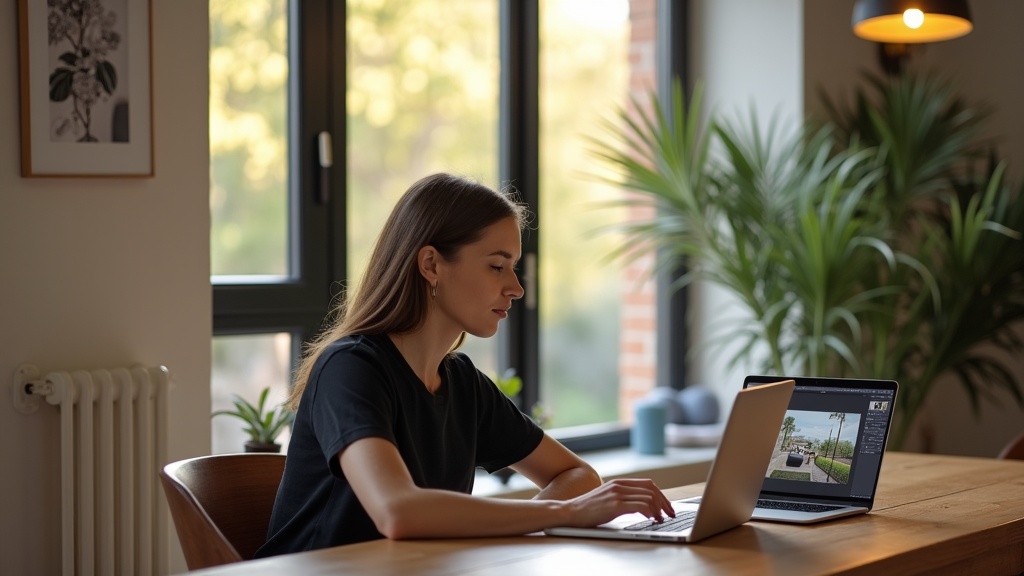
You've scrolled through dozens of your Airbnb photos and know they're not winning clicks — but hiring a photographer costs £300+ and editing software subscriptions are piling up. The good news? AI-powered photo editing tools built specifically for Airbnb can transform your listing images in minutes, not hours, and many cost less than a single night's booking fee.
Below is an honest ranking of the best Airbnb photo editing tools for UK hosts in 2026, compared on price, ease of use, AI capability, and whether they actually understand short-term rental photography. We've tested them all — and flagged where each one is genuinely the right fit.
Quick Comparison: Best Airbnb Photo Editing Tools (2026)
Transparency: LetGrow publishes this blog, and LetGrow is one of the tools compared below. We've kept the comparison factual and flagged where rivals are the better fit — but read it with that context in mind.
1. LetGrow Photo Enhancement — Best Airbnb Photo Editing Tool for UK Hosts
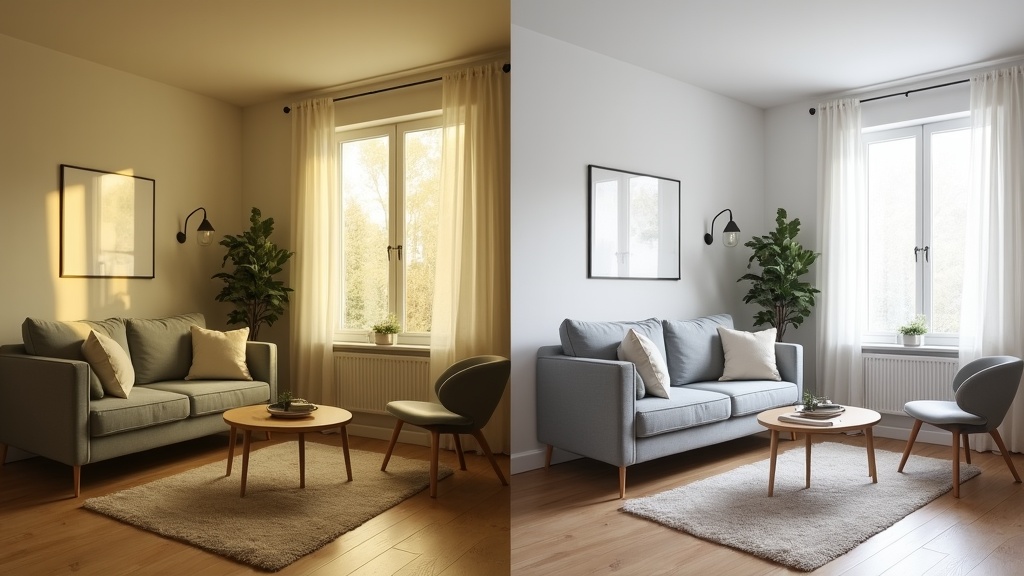
Best for: Self-managing UK hosts who want AI-enhanced listing photos without monthly subscriptions, delivered in minutes from their Airbnb URL or direct uploads.
Price: Pay-per-photo on volume tiers — first photo ~£1.48, bulk prices drop toward ~£0.47 each. No recurring fees.
LetGrow Photo Enhancement is purpose-built for Airbnb hosts who need professional-grade image enhancement fast. Paste your listing URL or upload photos, and the AI engine corrects lighting, balances colour, straightens angles, and removes visual clutter — without adding fake furniture or objects. Every enhanced image remains truthful to your actual space, which keeps you compliant with Airbnb's photo authenticity guidelines and avoids guest disappointment.
Why it ranks #1 for most UK hosts:
- No subscription lock-in — Pay once per photo batch; ideal if you're refreshing one listing or testing enhancements before committing
- Airbnb-specific optimisation — The AI is trained on high-performing short-term rental photos, not generic real estate or product shots
- Instant turnaround — Enhanced photos delivered in minutes, not days
- UK-focused pricing and support — Transparent GBP pricing; no surprise USD conversion fees
- Integrated with LetGrow's suite — Pair photo enhancement with free listing performance scoring, SEO rewrites, and competitor analysis for a complete optimisation workflow
Cons:
- Not a manual editing suite — Hosts wanting granular slider control over shadows or saturation will prefer Lightroom
- Designed for hosts with 1–5 listings; large-scale property managers with 20+ properties may find batch workflow tools like Styldod faster
Verdict: If you're a UK self-managing host who wants instant, truthful AI enhancement without learning Photoshop or paying £10/month forever, LetGrow Photo Enhancement delivers the best balance of speed, cost, and Airbnb relevance.
2. Styldod — Best for Virtual Staging and Floor Plans
Best for: Hosts who need virtual staging, floor plans, or item removal alongside photo editing.
Price: From $29/month (approx. £23) for packages including virtual staging credits.
Styldod is a US-based real estate photo editing service that offers AI enhancement, virtual staging (digitally adding furniture to empty rooms), floor plan generation, and object removal. It's positioned for estate agents and property managers who need a full visual marketing suite.
Pros:
- Excellent virtual staging quality — Useful if you're photographing an unfurnished property before tenants move in
- Floor plan generation included in higher tiers
- Turnaround typically 24–48 hours
Cons:
- Monthly subscription required; no pay-per-photo option
- Not Airbnb-specific — Editing style optimised for traditional real estate listings, not short-term rental psychology
- USD pricing; UK hosts face currency conversion and sometimes VAT complications
- Virtual staging can be misleading for Airbnb — Guests expect to see the actual space
Verdict: Choose Styldod if you're managing multiple properties and need floor plans or virtual staging for pre-furnished marketing. For straightforward Airbnb photo optimisation of furnished rentals, LetGrow's AI enhancement is faster and cheaper.
3. Adobe Lightroom — Best for Manual Control
Best for: Hosts with photography experience who want granular editing control and are comfortable with a learning curve.
Price: £9.98/month (Photography Plan: Lightroom + Photoshop).
Adobe Lightroom is the industry-standard photo editing suite, used by professional photographers worldwide. The mobile app offers AI-powered 'Auto' adjustments, but the real power is in manual sliders for exposure, white balance, highlights, shadows, colour grading, and lens correction.
Pros:
- Unmatched manual control — Edit every detail to your exact vision
- Non-destructive editing with full history and presets
- Cloud sync across desktop and mobile
- Trusted by professional real estate and hospitality photographers
Cons:
- Steep learning curve — Expect hours of YouTube tutorials before you're confident
- Ongoing £9.98/month cost
- No Airbnb-specific guidance — You're responsible for knowing what makes a high-converting Airbnb photo
- Time-intensive — Editing 20+ listing photos manually can take an entire afternoon
Verdict: If you already know your way around Lightroom or enjoy photography as a hobby, it's a powerful tool. But if you're a busy host who just needs great photos fast, the time investment rarely justifies the £120/year subscription when AI tools deliver comparable results in seconds.
4. Canva Pro — Best for Hosts Creating Marketing Graphics
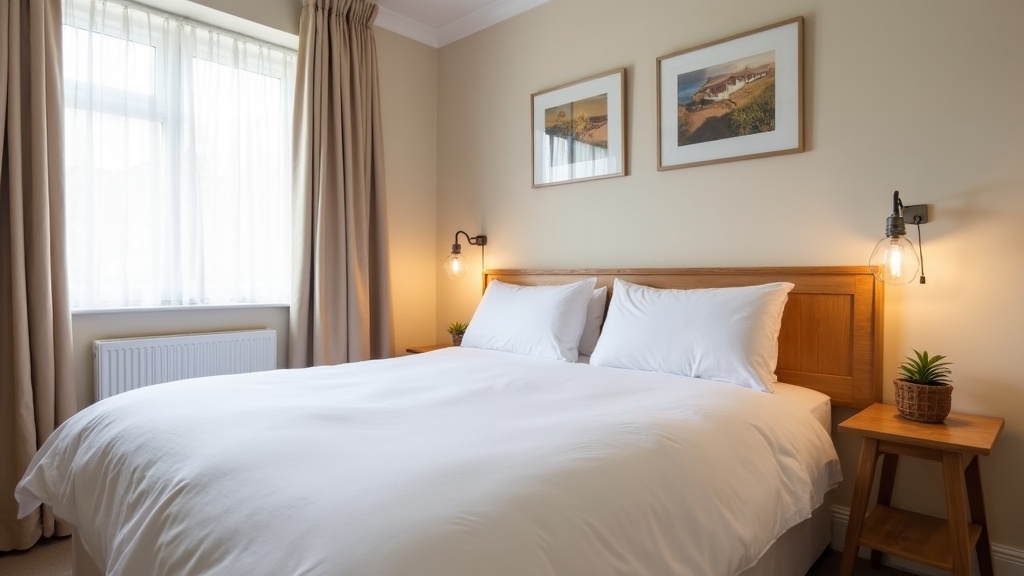
Best for: Hosts who also design Instagram posts, welcome guides, or social media content alongside photo editing.
Price: £10.99/month (or £99.99/year).
Canva Pro is best known as a graphic design platform, but it includes a growing suite of AI-powered photo editing features: background remover, AI image enhancer, filters, and one-click adjustments. It's browser-based, so no software download required.
Pros:
- Intuitive drag-and-drop interface — Minimal learning curve
- Huge library of templates for social posts, property brochures, and guest guidebooks
- AI background remover and 'Magic Edit' tools included
- Great value if you're already using it for branding and content creation
Cons:
- Photo editing is secondary to design — AI enhancements are basic compared to dedicated tools
- Not optimised for real estate or Airbnb photography
- Recurring monthly cost for features you may not fully use
- No batch processing for listing photo workflows
Verdict: Canva Pro makes sense if you're actively creating marketing content and want an all-in-one design + light editing tool. For serious Airbnb photo editing, pair it with a dedicated AI enhancer like LetGrow for best results.
5. Luminar Neo — Best for Enthusiast Photographers
Best for: Hosts managing multiple properties who want advanced AI tools and enjoy hands-on editing.
Price: £119/year (often discounted to ~£79 during sales).
Luminar Neo is a desktop photo editor built around AI-powered 'creative tools' — sky replacement, portrait enhancement, dust removal, and relighting. It's positioned between consumer-friendly apps and professional suites like Lightroom.
Pros:
- Powerful AI features: one-click sky enhancement, dust/powerline removal, and intelligent lighting adjustments
- One-time annual payment (no monthly lock-in)
- Easier learning curve than Lightroom
- Excellent for exterior and landscape shots (gardens, balconies, entrances)
Cons:
- £119/year is expensive if you're only editing photos once or twice a year
- Desktop-only (Mac/Windows); no mobile app for quick edits
- Not Airbnb-specific — No guidance on shot sequencing, hero images, or optimal photo order
- Overkill for hosts with 1–2 listings
Verdict: Luminar Neo is excellent if you're a photography enthusiast managing a portfolio of properties and want creative control over your images. For most UK hosts, it's more tool than you need — and the annual cost quickly exceeds pay-per-photo AI services.
6. Photoroom — Best for Quick Mobile Editing
Best for: Hosts who edit primarily on mobile and need fast background removal or quick touch-ups.
Price: Free (limited); Pro from £8.99/month.
Photoroom is a mobile-first AI photo editor, originally built for e-commerce product photography. Its standout feature is instant, accurate background removal, but it also offers basic enhancement, filters, and shadow adjustments.
Pros:
- Lightning-fast background removal — Useful for isolating amenity close-ups or creating graphics
- Mobile-optimised workflow
- Affordable Pro tier with unlimited exports
- Batch processing available
Cons:
- Designed for product shots, not interiors — AI enhancements are generic
- Limited manual editing controls
- Monthly subscription for full features
- Not built for the wide-angle, multi-element compositions typical of Airbnb listing photos
Verdict: Photoroom is great for quick mobile edits and social media content, but it's not a serious Airbnb listing photo editor. Use it for secondary tasks (amenity highlights, Instagram stories) and rely on a dedicated tool for your main gallery.
How to Choose the Best Airbnb Photo Editing Tool for Your Listing
The right tool depends on three factors: your skill level, how often you update photos, and whether you need Airbnb-specific optimisation.
If You're a Self-Managing Host with 1–5 Listings
Choose LetGrow Photo Enhancement. You'll get instant AI enhancement tailored to Airbnb psychology, pay only for what you use, and avoid the complexity (and recurring cost) of professional editing suites. Pair it with LetGrow's photo layout and eye-movement guidance to ensure your enhanced images appear in the optimal sequence.
If You're a Photography Enthusiast or Semi-Professional
Lightroom or Luminar Neo will give you the creative control you crave. Budget £120–£140/year and be realistic about the time investment — if you're editing photos every month across multiple listings, the control is worth it. If you refresh photos twice a year, pay-per-use AI is more cost-effective.
If You're Also Creating Marketing Content
Canva Pro makes sense as an all-in-one design and light editing platform. Use it for social posts, guest guides, and branding — but supplement with dedicated AI photo enhancement for your main Airbnb gallery.
If You're Managing 10+ Properties or Need Virtual Staging
Styldod's subscription model and floor plan generation may justify the monthly cost. However, remember that virtual staging can backfire on Airbnb if guests feel misled — always prioritise truthful imagery.
What to Look for in an Airbnb Photo Editing App
Not all photo editors are created equal when it comes to short-term rental listings. Here's what genuinely moves the booking needle:
- Lighting correction that doesn't look fake — AI should brighten underexposed rooms without creating unnatural halos or blown-out windows
- Colour accuracy — Guests want to see true-to-life tones, not oversaturated Instagram filters
- Perspective correction — Straightening wonky verticals makes spaces look larger and more professional
- Clutter removal without adding objects — The best tools remove distractions (cables, bins) but never add furniture or features that don't exist
- Speed — If editing 20 photos takes four hours, you're unlikely to keep your gallery up to date
- Airbnb-specific training — Tools trained on real estate or product photography miss the unique psychology of short-term rental bookings
LetGrow Photo Enhancement ticks all six boxes, which is why it's the top recommendation for UK hosts focused on honest, high-converting imagery.
Do You Really Need an AI Photo Enhancement Tool?
If your listing photos were taken on a modern smartphone in good natural light, you might not — yet. But if any of these apply, AI enhancement will directly impact your booking rate:
- Your photos look dim, yellow-tinted, or have harsh shadows
- You photographed on a cloudy day or in the evening
- Your space looks smaller or less inviting than competitors' listings
- You're seeing high impression counts but low click-through to your listing
- Guest reviews mention that photos 'don't do the place justice'
AI enhancement isn't about deception — it's about presenting your space the way the human eye sees it, correcting for the technical limitations of smartphone cameras. When done well (truthful lighting, accurate colour, no added objects), it builds trust and converts browsers into bookers.
UK Hosts: Watch Out for These Photo Editing Pitfalls
1. Over-editing that triggers guest disappointment
Cranking saturation to 100% or adding virtual furniture creates a gap between expectation and reality. Stick to enhancement (better lighting, colour, clarity) rather than invention.
2. Ignoring photo sequence
Even beautifully edited photos will underperform if your hero image is weak or your gallery order is random. LetGrow's photo sequencing guide shows the exact order that stops guests scrolling past.
3. Paying for subscriptions you barely use
If you're editing photos twice a year, a £120 annual Lightroom subscription costs £60 per editing session. Pay-per-photo AI tools can deliver the same result for £10–£20 total.
4. Forgetting mobile preview
Over 60% of Airbnb searches happen on mobile. Always preview your edited photos on a phone screen — tiny details that look great on desktop disappear on a 6-inch display.
Frequently Asked Questions
What is the best app to edit Airbnb photos in the UK?
For most UK hosts, LetGrow Photo Enhancement offers the best balance of speed, cost, and Airbnb-specific optimisation. It delivers AI-enhanced images in minutes with no subscription, priced per photo (from ~£1.48 down to ~£0.47 each in bulk). Hosts who want manual control and have editing experience may prefer Adobe Lightroom (£9.98/month).
Can I edit my Airbnb photos for free?
Yes — Free tools like Snapseed (mobile) and GIMP (desktop) offer basic adjustments, and Canva's free tier includes simple filters. However, free tools lack the Airbnb-trained AI and speed of paid services. If your photos are costing you bookings, the £10–£20 investment in professional AI enhancement typically pays for itself within one extra booking.
Is AI photo enhancement allowed on Airbnb?
Yes, as long as the enhancement is truthful. Airbnb's photo policy permits lighting correction, colour balancing, and clarity improvements — but prohibits adding furniture, amenities, or features that don't exist. Tools like LetGrow Photo Enhancement stay compliant by enhancing only what's already in the frame, never inventing objects.
Should I hire a professional photographer or use AI editing tools?
It depends on your starting point. If your photos are poorly framed, too dark to salvage, or missing key shots, hire a professional (budget £200–£400 for a full shoot). If your composition and coverage are solid but the images lack polish, AI enhancement delivers 80% of the result for 5% of the cost. Many top-performing hosts do both: professional shoot once, then AI enhancement for seasonal updates or new amenity photos.
Which is cheaper: Lightroom or LetGrow Photo Enhancement?
LetGrow Photo Enhancement is cheaper unless you're editing photos monthly. Lightroom costs £9.98/month (£119.76/year). Editing 20 photos with LetGrow once or twice a year costs roughly £20–£30 total. If you refresh your listing gallery quarterly or manage multiple properties, Lightroom's subscription may eventually be more economical — but only if you have the time and skill to use it effectively.
How do I know if my Airbnb photos need editing?
Run LetGrow's free Airbnb listing performance score — it analyses your photos alongside 50+ other ranking factors and flags specific improvement opportunities. Common signs your photos need work: dim/yellow lighting, tilted angles, high search impressions but low booking conversion, or guest reviews saying 'even better than the photos' (which means your images are underselling the space).
Final Verdict: The Best Airbnb Photo Editing Tool for UK Hosts in 2026
If you're a self-managing UK host who wants instant, honest, Airbnb-optimised photo enhancement without recurring subscriptions or a Photoshop degree, LetGrow Photo Enhancement is the clear winner. Paste your listing URL, get AI-enhanced images in minutes, and pay only for what you use — from £1.48 per photo down to ~£0.47 in bulk.
For enthusiast photographers who enjoy manual control and edit regularly, Lightroom remains the industry standard. And if you're managing 10+ properties and need floor plans or virtual staging, Styldod's subscription model may justify the cost.
But for the vast majority of UK Airbnb hosts — busy, self-managing, focused on bookings over pixel-peeping — AI enhancement built specifically for short-term rentals delivers the fastest ROI.
Ready to see the difference? Try LetGrow Photo Enhancement and transform your listing gallery in minutes, or start with a free performance score to see exactly where your photos (and the rest of your listing) can improve.