Your Airbnb listing has six seconds to win the click. That's how long a guest scrolls before deciding whether to tap your property or swipe past to the next one. And the single biggest factor in that split-second decision? Your cover photo. Not your title, not your price, not your Superhost badge — the hero image is what stops the scroll.
This guide reveals the exact type of cover shot that consistently outperforms the rest, backed by booking behaviour data and real-world testing. You'll learn what guests are actually looking for when they scan search results, which room angles convert best, and the one photo mistake that's quietly costing you bookings every single day.
Why Your Cover Photo Is the Most Important Photo in Your Listing
Your cover photo accounts for up to 70% of a guest's initial decision to click. When Airbnb displays search results, each listing shows as a thumbnail roughly the size of a credit card on mobile. At that scale, guests aren't reading your title or noticing your review score — they're scanning images for an instant gut feeling of space, light, and comfort.
The best photos for Airbnb aren't necessarily the most expensive or professionally lit shots. They're the images that answer the guest's subconscious question in under two seconds: "Will I feel good here?" A cluttered living room photo with a £2,000 camera loses to a bright, airy bedroom shot taken on an iPhone. Every time.
If you're not sure whether your current cover photo is pulling its weight, LetGrow's free listing score analyses your photo order, hero image choice, and visual positioning against local competitors — showing you exactly where you're losing clicks.
The One Cover Shot That Wins the Click (and Why It Works)
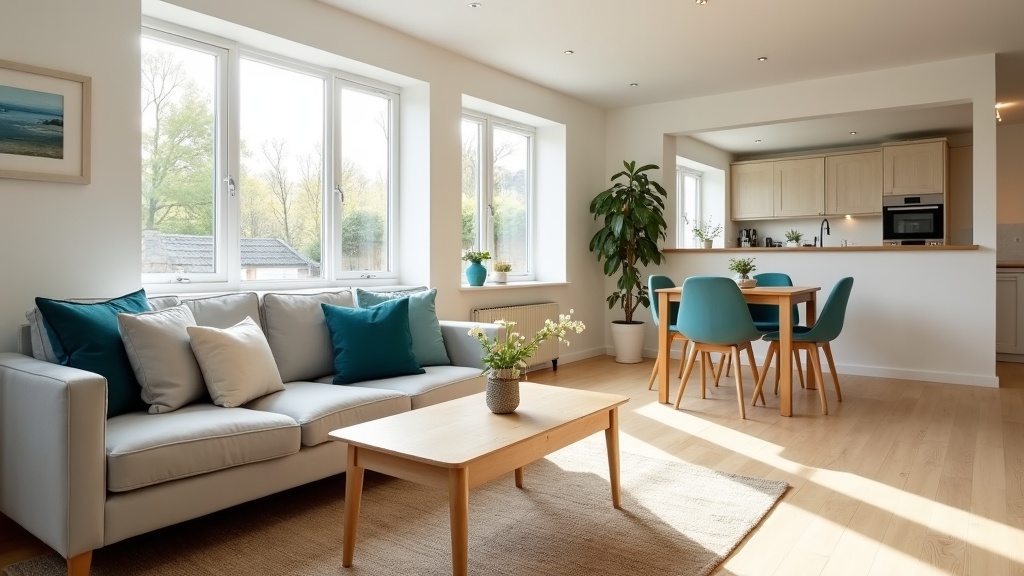
The highest-converting cover photo for most UK Airbnb listings is a wide-angle living room or bedroom shot that shows natural light, depth, and context. Not a close-up of a cushion arrangement. Not an artistic exterior angle. A clear, welcoming interior view that lets the guest mentally place themselves in the space.
Here's why this works: when guests scroll through dozens of listings, they're filtering for two psychological signals — safety and value. A well-composed living room or bedroom photo with visible windows, neutral tones, and uncluttered surfaces telegraphs both. It says "this is a real, clean, liveable space" without requiring the guest to read a single word.
What Makes a Living Room Hero Shot Work
The best living room cover photos include:
- Natural light from at least one visible window — daylight signals cleanliness and space
- A clear sightline through the room — depth makes small spaces feel larger
- Minimal clutter — three decorative items maximum per surface
- A seating area that fits at least two people — solo chairs don't communicate comfort
Avoid shooting directly into a window (your room will appear as a dark silhouette). Instead, position yourself perpendicular to the window so natural light illuminates the space without blowing out the exposure. If you're working with a smartphone, tap the screen to lock exposure on the mid-tones of the room, not the brightest or darkest areas.
When a Bedroom Hero Shot Beats the Living Room
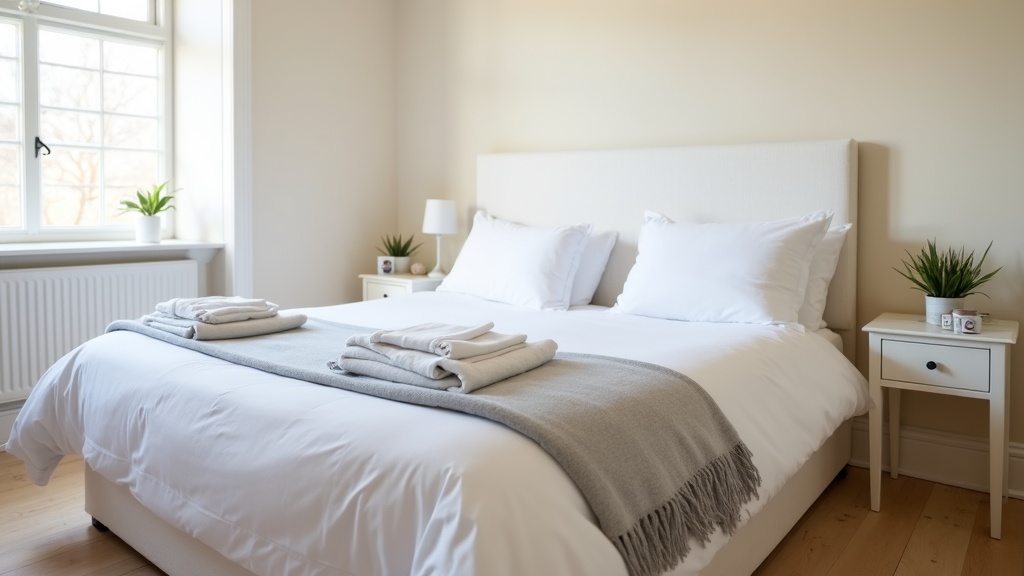
If your property is a studio, a boutique countryside cottage, or a couple-focused retreat, a bedroom cover photo often outperforms the living room. The key is the same: light, space, and an uncluttered composition.
Shoot from the foot of the bed at chest height, angled slightly toward a corner to capture depth. Include a visible window if possible, and ensure bedding is crisp and neutral. A bedroom hero shot works especially well for romantic getaways, countryside Airbnbs, and properties targeting business travellers who prioritise rest over socialising.
For more on capturing bedrooms that communicate comfort and space, see our guide on Airbnb bedroom photos: light, space and comfort in images.
The Cover Photo Mistake That's Costing You Bookings
Using an exterior shot as your cover photo. Unless your property has a genuinely jaw-dropping view, garden, or architectural feature — think thatched Cotswolds cottage or Edinburgh New Town townhouse — an exterior hero image is a wasted opportunity.
Guests don't book exteriors. They book interiors. An external façade tells them nothing about whether the space is bright, spacious, or comfortable. Worse, if your building is a modern block or a terraced house on a busy street, an exterior cover photo can actively reduce click-through rates by highlighting what the property isn't (a country manor, a beachfront villa) rather than what it is (a cosy, well-designed place to stay).
There's one exception: if your outdoor space is genuinely unique — a private hot tub with a mountain view, a walled garden with bistro seating, a rooftop terrace overlooking the Thames — then an exterior or amenity-focused cover shot can work. But it must be immediately distinctive. A generic patio with a table and two chairs won't cut it.
Best Airbnb Photos: The Complete Shot List Beyond the Cover
Once your hero image stops the scroll, the next 4-8 photos seal the booking decision. Guests swipe through listings in a predictable pattern, and your photo order should match that mental checklist. Here's the sequence that converts:
1. Hero Image (Living Room or Bedroom)
Your strongest wide-angle interior shot, as discussed above.
2. Kitchen (If Applicable)
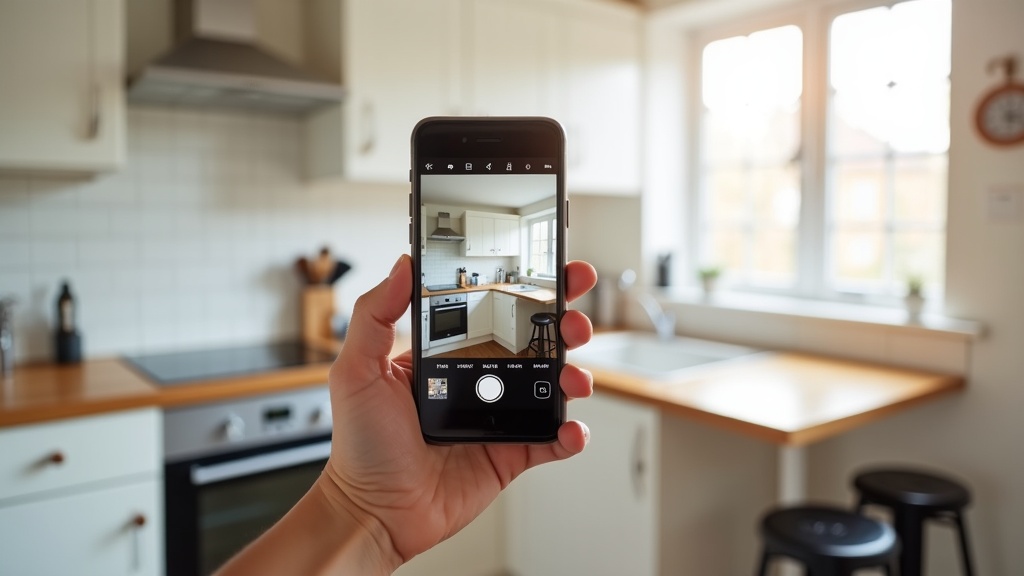
After confirming the space looks inviting, guests immediately check whether they can cook. A clean, well-lit kitchen photo positioned second reassures them. Include a clear view of the hob, worktop, and any quality appliances (coffee machine, dishwasher). If your kitchen is small, shoot from the doorway at an angle to maximise perceived space.
3. Bedroom (or Second Living Room Angle)
If your hero was the living room, show the bedroom here. If your hero was the bedroom, include a second angle of the living area or a unique feature (fireplace, workspace, dining table).
4. Bathroom
Guests need to see a spotless bathroom to feel confident booking. Shoot from the doorway to capture the full layout. Ensure taps shine, grout is white, and towels are neatly folded. A rainfall shower head or heated towel rail is worth highlighting. For detailed advice on bathroom photography, see Airbnb bathroom photos: showcase cleanliness and modern features.
5. Unique Amenity or Selling Point
This is where you differentiate. Show off your free parking space, your garden with outdoor seating, your dedicated workspace, or your smart TV setup. If your listing's main draw is location rather than amenities, include a curated neighbourhood shot (a recognisable landmark within a five-minute walk, not a generic streetscape).
6-10. Supporting Detail Shots
Additional bedroom angles, close-ups of quality furnishings, storage solutions, or views from windows. These fill out the gallery and reinforce the quality impression created by your top five images.
Not sure whether your current photo order is working? Get your free Airbnb performance score and see how your visual sequencing compares to top-performing listings in your area. For a deeper dive into sequencing strategy, read our guide on Airbnb listing photos: the order that stops guests scrolling past.
Airbnb Photography Tips UK: Smartphone vs Professional
You don't need a professional photographer to create the best Airbnb photos. Modern smartphones — anything from an iPhone 12 onward or a recent Samsung Galaxy — can produce cover-worthy images if you follow three non-negotiable rules:
- Shoot in daylight with curtains open. Natural light is the single biggest factor separating amateur from professional-looking photos. Avoid overhead artificial lighting, which creates harsh shadows and a yellow cast.
- Straighten your verticals. Wonky doorframes and leaning walls scream "amateur." Most smartphone camera apps include a grid overlay — use it to align vertical lines before you press the shutter.
- Declutter every surface before you shoot. Remove toothbrushes, charging cables, remote controls, and paperwork. If it's not decorative or functional to a guest, it doesn't belong in the frame.
That said, professional photography does add value for higher-end properties (£150+ per night), large homes (4+ bedrooms), or competitive city-centre markets where every listing looks polished. A professional brings wide-angle lenses, HDR editing, and compositional expertise that's hard to replicate on a phone.
If you're on the fence, start with smartphone photos and upgrade to professional once your occupancy rate justifies the investment. For a full breakdown of when to hire a pro, see Airbnb photos: smartphone vs professional photography comparison. And for actionable DIY tips, check out Airbnb photo optimisation: professional tips without hiring a photographer.
How to Test and Improve Your Cover Photo
Airbnb doesn't tell you which photo performs best, but you can reverse-engineer it by tracking your click-through rate. Log into your Airbnb dashboard and navigate to Stats > Views. If your listing is getting plenty of search impressions but low click-throughs, your cover photo is likely the culprit.
Run a simple A/B test: swap your cover photo to a different interior shot and monitor your click-through rate over the next 7-14 days. If clicks increase, keep the new hero. If they drop, revert and try again.
Keep these benchmarks in mind:
- Good click-through rate: 3-5% (3-5 clicks per 100 search impressions)
- Excellent click-through rate: 6%+
- Problem territory: Below 2%
If you're consistently below 2%, your cover photo needs urgent attention. Either the composition is weak, the lighting is poor, or the room choice is wrong for your target guest.
Advanced Airbnb Photography Tips: Lighting, Angles, and Composition
Use the Golden Hour (or Fake It)
The best natural light occurs during the "golden hour" — the hour after sunrise or before sunset — when sunlight is soft, warm, and diffused. If your schedule doesn't allow for golden hour shooting, replicate the effect by shooting on an overcast day (clouds act as a natural diffuser) or by bouncing daylight off a white wall or reflector.
Shoot Wide, Crop Tight
Always shoot wider than you think you need. You can crop in post-editing to straighten lines and improve composition, but you can't add back space you didn't capture. Use your smartphone's ultra-wide lens if available, but avoid fisheye distortion — guests need to trust that the space looks realistic.
Include a Pop of Colour (But Only One)
Neutral palettes (whites, greys, beiges) photograph beautifully and appeal to the widest audience, but an accent colour — a teal cushion, a mustard throw, a vase of fresh flowers — adds visual interest and warmth. Limit your accent colour to one or two items per shot. More than that, and the photo starts to feel busy.
Edit Consistently Across Your Gallery
Your photos should feel like they belong to the same property. Use the same editing preset or adjustments (brightness, contrast, saturation) across all images so your gallery feels cohesive. Avoid heavy filters — guests want to see what the space actually looks like, not an Instagram-filtered fantasy version.
What Guests Are Really Looking for in Your Photos
Guests don't just want pretty pictures. They want reassurance. Every photo you upload should answer an unspoken concern:
- "Is this place actually clean?" — Spotless surfaces, crisp bedding, gleaming taps
- "Will I have enough space?" — Wide angles, visible floor space, uncluttered rooms
- "Can I cook/work/relax here?" — Clear shots of kitchen, desk, and seating areas
- "Is this a real listing or a scam?" — Consistent style across images, realistic angles, no stock photos
The best photos for Airbnb don't oversell or mislead. They show the property honestly, at its best, in flattering light. If a guest arrives and feels the photos were accurate, you've done your job. If they feel deceived, you'll pay for it in reviews and future bookings.
Common Photo Mistakes That Tank Your Booking Rate
- Dark, underexposed images — Guests associate darkness with dirt and poor maintenance
- Cluttered surfaces — Personal items, toiletries, and paperwork distract from the space
- Wonky angles and blurry shots — They signal carelessness and lack of professionalism
- Photos that don't match the listing description — If you say "spacious," the photos must prove it
- Too many artistic close-ups — Guests need context, not a macro shot of a throw pillow
When to Update Your Photos (and Why It Matters)
Even great photos have a shelf life. Update your listing images whenever:
- You've refreshed furnishings, bedding, or décor
- Seasonal changes significantly alter the space (e.g., you've added a Christmas tree or summer garden furniture)
- Your click-through rate has dropped below 3% for more than a month
- You've added new amenities (workspace, smart TV, coffee machine)
Fresh photos signal to Airbnb's algorithm that your listing is active and well-maintained, which can improve your search ranking. Guests also notice when photos feel dated — yellowing wallpaper or furniture from 2015 will cost you bookings in a competitive market.
Want an expert opinion on whether your photos are working? LetGrow's free Airbnb listing score includes a photo analysis that compares your images to top performers in your area and flags specific improvements.
How LetGrow Helps You Identify Your Best Photo Strategy
Choosing the right cover photo and optimising your gallery isn't guesswork when you have the right data. LetGrow's AI-powered listing audit analyses your photos against thousands of high-performing UK listings, scoring your hero image choice, photo order, lighting quality, and visual appeal.
You'll see:
- Which of your current photos should be your cover image
- Where your gallery is losing guest attention
- Which rooms are under-represented or missing entirely
- How your visuals compare to top-ranked competitors in your postcode
It's not a generic checklist — it's a property-specific action plan based on what's actually working in your market right now. LetGrow's £9 digital guidebook also includes a complete photo optimisation module with shot-by-shot walkthroughs and editing tips you can implement the same day.
Frequently Asked Questions
What is the best cover photo for an Airbnb listing?
The best cover photo is a wide-angle living room or bedroom shot with natural light, visible depth, and minimal clutter. It should answer the guest's instant question: "Will I feel comfortable here?" Avoid exterior shots unless your building or outdoor space is genuinely distinctive.
Should I use professional photography for my Airbnb listing?
Professional photography adds value for high-end or large properties (£150+ per night, 4+ bedrooms), or in competitive markets where every listing looks polished. For most UK hosts, a modern smartphone and good lighting are sufficient if you follow composition best practices.
How many photos should I upload to my Airbnb listing?
Upload 15-25 high-quality photos. Fewer than 10 makes your listing feel incomplete; more than 30 dilutes the impact of your strongest images. Focus on hero shots of each room, then add supporting detail images to round out the gallery.
Can I edit my Airbnb photos after uploading?
Yes. You can reorder, replace, or delete photos at any time through your Airbnb hosting dashboard. Test different cover images by tracking your click-through rate in Stats > Views. If impressions stay steady but clicks drop, your new cover photo isn't working.
What's the most common photo mistake Airbnb hosts make?
Using dark, underexposed images or shooting with the curtains closed. Natural daylight is the single biggest factor in creating inviting, professional-looking photos. Always shoot during the day with windows uncovered, even if it means rescheduling your photo session.
How do I know if my cover photo is working?
Check your click-through rate in Airbnb Stats > Views. A good click-through rate is 3-5% (3-5 clicks per 100 impressions). Below 2% suggests your cover photo isn't compelling enough. Try swapping to a different interior shot and monitor performance over 7-14 days.
Final Takeaway: One Photo Decision That Changes Everything
Your cover photo is a six-second audition. It's not about having the most expensive furniture or the fanciest property — it's about showing a space that feels clean, bright, and welcoming at thumbnail scale. A well-composed living room or bedroom shot with natural light will outperform a cluttered or dark image every single time, regardless of how much you spent on décor.
If you're serious about maximising bookings, treat your hero image as the single most important optimisation decision you make. Test it, refine it, and compare it against the competition. The difference between a 2% click-through rate and a 6% rate is the difference between struggling for bookings and consistently filling your calendar.
Ready to see how your listing measures up? Get your free Airbnb score at LetGrow and discover exactly what's working — and what's holding you back.